

A Practical Guide to Your Next Technical SEO Audit
Think of your website as your digital showroom. A technical SEO audit is the essential inspection that ensures the foundation is solid, customers can find the aisles, and the checkout process is seamless. For a restaurant equipment supplier, this process is non-negotiable—it’s how search engines discover, understand, and rank your product pages for terms like 'commercial charbroiler' or 'restaurant deep fryer'.
This isn't just about climbing search rankings; it's about connecting with chefs and restaurant managers at the precise moment they're ready to buy. We specialize in SEO, local citation services, and content like blog posting and article writing, all tailored for restaurant equipment supply websites, so we know how critical this foundation is.
Building a Foundation for Digital Success
A strong technical foundation prevents lost sales from slow-loading pages, broken links, or a clunky mobile experience that sends potential buyers straight to your competitors. Neglecting your site's technical health is like having a beautiful restaurant with faulty wiring—it might look good, but sooner or later, things will stop working.
This audit systematically roots out issues that block search engines from properly accessing your content. It’s the first step to dominating search results, ensuring every piece of equipment, from countertop griddles to walk-in freezers, is visible to your target audience.
The Core Pillars of a Technical Audit
To really get a handle on what a successful audit entails, it’s best to break it down into its core components. Each piece addresses a unique aspect of your site's performance and accessibility to search engines.
- Crawlability: Can search engine bots easily find and navigate all the important pages on your website?
- Site Speed: Does your site load quickly enough to meet user expectations and Google's performance standards? A delay of even one second can cause a 7% reduction in conversions.
- Security: Is your website secure (using HTTPS) to protect user data and build trust with both customers and search engines?
This diagram shows how these foundational pieces fit together, moving from basic access to user experience and trust.
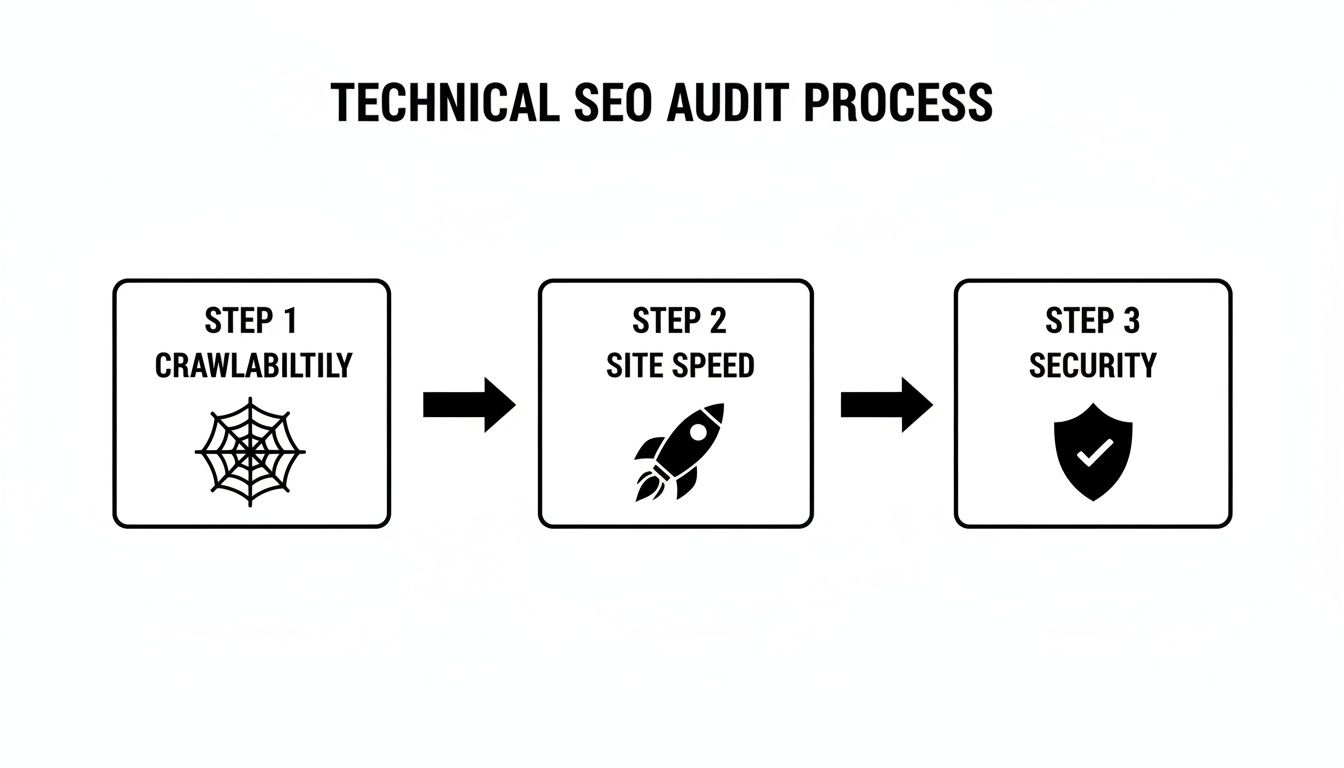
As the visual lays out, a healthy site starts with ensuring search engines can access your content. From there, it moves to optimizing the user experience through speed and, finally, secures the connection to build customer trust.
To help you see the big picture, here’s a quick breakdown of the core components we'll be diving into throughout this guide and why they matter for your bottom line.
Core Components of a Foodservice E-Commerce SEO Audit
| Audit Component | Primary Goal | Impact on Equipment Sales |
|---|---|---|
| Crawl & Indexing | Ensure search engines can find and list all critical product pages. | Prevents high-value product pages from being invisible in search results. |
| Core Web Vitals | Improve page load speed and user interaction for a better experience. | Reduces bounce rates on category pages and improves conversion rates. |
| Mobile & UX | Guarantee the site is easy to use on any device, especially phones. | Captures sales from chefs and managers browsing on their mobile devices. |
| Site Architecture | Create a logical, easy-to-navigate site structure for users and bots. | Makes it simpler for customers to find specific equipment, boosting sales. |
| Structured Data | Use schema markup to enhance search listings with key product info. | Increases click-through rates by showing price, availability, and reviews. |
Each of these elements plays a vital role in building a technically sound website that not only ranks well but also effectively converts visitors into paying customers.
At its core, a technical SEO audit is about removing roadblocks. You're methodically clearing the path for both search engine crawlers and human users, creating a seamless journey from a search result to a sale.
By getting these pillars right, you create an environment where your on-page and off-page SEO efforts can truly shine. Without this solid base, even the best content, copyrighting, or blogger outreach strategy will fail to deliver its full potential.
For a deeper dive into the entire process, this ultimate guide to performing a technical SEO audit is a fantastic resource. It will get you primed for the hands-on steps we're about to cover.
Ensuring Your Equipment Catalog Is Crawlable and Indexed
If Google can't find your product pages, you're invisible to potential buyers. Simple as that. A huge piece of any technical SEO audit is making sure every single piece of equipment—from countertop griddles to walk-in freezers—is actually discoverable. This is what gives you a fighting chance to show up when a chef or restaurant owner is searching.
Think of it like this: search engine crawlers are librarians trying to catalog a massive library. If some of your best books are locked away or not listed in the directory, nobody will ever find them. Your job is to give these crawlers a master key and a crystal-clear map.

Unlocking Your Site with Robots.txt and Sitemaps
Your audit starts with two foundational files: robots.txt and your XML sitemap. The robots.txt file is literally the first place a crawler looks, giving it instructions on what it can and can't access on your site.
It's shockingly easy to mess this up. One stray "Disallow" directive can make entire product categories vanish from search results. Imagine accidentally blocking your /fryers/ directory—you could prevent a brand-new line of high-efficiency fryers from ever being seen by Google, costing you a fortune in lost sales.
On the flip side, your XML sitemap acts as a detailed blueprint. It's where you list all the important URLs you want search engines to find and index. For a restaurant equipment site, this absolutely must include:
- Product Pages: Every charbroiler, oven, and refrigerator you sell.
- Category Pages: Broad groupings like "Commercial Refrigeration" or "Cooking Equipment."
- Key Informational Pages: Buying guides, spec sheets, and helpful blog posts.
A clean, well-structured sitemap helps Google discover your new products much faster and get a better handle on your site's overall layout.
Diagnosing Issues in Google Search Console
Google Search Console (GSC) is your direct line to Google, and it's essential for spotting crawl and indexing problems. The "Coverage" report is your ground zero, showing you exactly which pages are indexed, which have warnings, and which have been flat-out excluded.
Let's say you just launched a new page for a premium modular charbroiler, but it's getting zero traffic. The URL Inspection tool in GSC can tell you why. You might discover a developer accidentally left a noindex tag on the page, basically telling Google to ignore it completely. Finding and removing that tag, then requesting re-indexing, can often fix the problem in just a few days.
A common pitfall we see is when pages are flagged as "Discovered - currently not indexed." This usually means Google knows the page exists but has decided it's not valuable enough to bother indexing. This is a major red flag for thin content or duplication issues, something our article writing services help clients avoid.
Taming Faceted Navigation and Duplicate Content
Faceted navigation—those filters for 'brand,' 'voltage,' 'size,' or 'price'—is fantastic for user experience. For technical SEO, however, it can be a total nightmare. It can spawn thousands of unique URLs for slightly different views of the same page.
For instance, a user filtering for a "Vulcan" brand, "24-inch," "gas-powered" charbroiler creates one specific URL. If another user filters for the same product but also adds "stainless steel finish," boom—another URL is born. Google sees these as duplicate pages, which splits your ranking authority and wastes your crawl budget. That’s the finite number of pages Google will crawl on your site at any given time.
The fix is to tell Google which version of the page is the real one using canonical tags. A canonical tag on all the filtered variations points back to the main category page (like /charbroilers/), consolidating all that ranking power into one authoritative URL.
You can also get a much deeper look into how crawlers are behaving by digging into your server logs. In fact, you can perform a detailed log file analysis to see exactly where your crawl budget is being wasted. By managing these parameters correctly, you force Google to focus on your most important pages, ensuring your core product catalog gets the visibility it deserves.
Accelerating Site Speed with Core Web Vitals
In a busy chef's kitchen, every second counts. A delayed order can kill a customer's experience. Your website is under the exact same pressure. A slow-loading page is the digital version of a cold meal—it frustrates potential buyers and sends them right to your competitors. Site speed isn't just a nice-to-have; it's a non-negotiable part of user satisfaction and a massive ranking factor for Google.
Think about running a restaurant where sizzling steaks need to fly off the charbroilers instantly. That’s the kind of urgency you need to apply to your site's load speed, a true cornerstone of any technical SEO audit. The data doesn't lie: 53% of users will abandon a website if it takes longer than 3 seconds to load. Get it right, and you’ll see the rewards. Websites that meet Google's Core Web Vitals standards see a 24% jump in user engagement.
Despite these stakes, only about half of all websites actually hit these benchmarks. This creates a huge opportunity for any business willing to put in the work and optimize.
Decoding Core Web Vitals for Your Equipment Site
Google's Core Web Vitals are a specific set of metrics designed to measure the real-world user experience of a webpage. They basically break down "speed" into three key components, each telling a piece of the story about how a visitor actually perceives your site's performance.
Getting a handle on these metrics is the first step to diagnosing and fixing the speed traps that are costing you sales.
- Largest Contentful Paint (LCP): This is all about loading performance. It measures how long it takes for the largest element on the screen—usually a big, high-resolution photo of a charbroiler or a promotional banner—to become visible. A slow LCP makes your site feel sluggish from the get-go.
- First Input Delay (FID): This tracks interactivity. How long does it take for your site to respond when a user first tries to do something, like clicking a "View Specs" button? A high FID is that frustrating feeling of clicking and getting nothing back.
- Cumulative Layout Shift (CLS): This measures visual stability. We’ve all seen this: text suddenly jumps down the page because an image finally loaded above it. CLS quantifies that annoying, unexpected shifting. A high score is disorienting and often causes people to click on the wrong thing.
By tackling these three areas, you directly improve the visitor's journey from the moment they land on your page to when they’re ready to buy. Keeping an eye on these metrics is a critical part of any ongoing SEO strategy, and you can learn more about how to measure SEO performance in our detailed guide.
Actionable Fixes for Common Speed Traps
It's one thing to diagnose these issues with a tool like Google PageSpeed Insights; it's another to actually fix them. For a restaurant equipment site packed with detailed, high-resolution product photos, the challenges are very specific.
One of the biggest culprits behind a slow LCP is unoptimized images. That crystal-clear photo of a stainless steel countertop charbroiler is essential for sales, but if the file is 5 MB, it's also killing your load time. The fix is two-fold: image compression and using modern formats like WebP, which can slash file sizes by over 30% with no noticeable drop in quality.
Your goal isn't to shrink images until they look pixelated; it's to find the sweet spot between visual fidelity and file size. A fast-loading, slightly less sharp image will always outperform a beautiful image that never fully loads for an impatient customer.
Leveraging browser caching is another incredibly powerful technique. This basically tells a returning visitor's browser to save static files—like your logo, CSS stylesheets, and certain images—on their own device. When they come back, their browser doesn't have to re-download everything from your server, making the page load almost instantly.
Minimizing Server Response Time and Using a CDN
Your server's initial response time, often called Time to First Byte (TTFB), is another critical piece of the puzzle. This is simply the time it takes for your server to start sending back the first piece of information after a user requests your page. A slow TTFB can be caused by an overloaded server or just inefficient code. To really deliver a great page experience, a detailed understanding of website performance optimization is a must, as it directly impacts your Core Web Vitals scores.
For any business selling equipment across the country, a Content Delivery Network (CDN) is an absolute game-changer. A CDN is a network of servers located all over the world that stores copies of your website's assets (like images and scripts).
So, when a chef in Miami visits your site, the product images are delivered from a server in Florida, not all the way from your main server in California. This drastically reduces the physical distance the data has to travel, slashing load times and creating a seamless experience for every user, no matter where they are.
Building an Intuitive Site Architecture for Users and SEO
Think of your website's architecture as the layout of a commercial kitchen. A disorganized kitchen is a nightmare—it slows everything down and makes finding what you need impossible. The same goes for your website. Your site architecture is the blueprint for how all your pages are organized, and a logical structure is absolutely critical for guiding both customers and search engine crawlers through your equipment catalog.
Let's say a restaurant manager needs a new countertop charbroiler. If they land on your homepage, can they find that specific category and product in just a few clicks? If the path is confusing, they'll just leave and find a competitor whose site is easier to navigate. This is exactly why a strong architectural foundation is a cornerstone of any good technical SEO audit.

Prioritizing a Flat and Logical Structure
For e-commerce sites selling restaurant equipment, a "flat" architecture is the gold standard. This doesn't mean jamming every single page onto your main navigation. It simply means ensuring your most important product pages are no more than three or four clicks away from the homepage.
A deep, convoluted structure buries your key products. This makes it harder for Google to find and assign authority to them, and it all but guarantees a frustrating experience for your potential customers.
The "three-click rule" is a great guideline here. If a user can't find the product they're looking for within three clicks, they're likely to get frustrated and bounce. A flat architecture makes this goal much more achievable.
To picture this, think about the path a user might take:
- Click 1 (Homepage): User clicks "Cooking Equipment."
- Click 2 (Category): User clicks "Charbroilers."
- Click 3 (Sub-category): User clicks "Countertop Gas Charbroilers."
- Click 4 (Product): User clicks on the specific model they want.
This structure is intuitive for shoppers and incredibly efficient for search engine crawlers, making sure your most valuable pages get the attention they deserve.
Leveraging Strategic Internal Linking
Internal links are the pathways that connect all your pages, distributing authority and relevance throughout your site. A key part of your audit involves analyzing how you're using them. For instance, a well-written blog post on "Choosing the Best Charbroiler" should absolutely link back to your main charbroiler category page and a few specific product pages. This is a core component of our blog posting and copyrighting services.
This simple strategy accomplishes two things:
- It passes authority: Links from established, high-traffic pages (like your homepage or a popular blog) act as a vote of confidence for newer product pages, helping them rank faster.
- It guides users: These links create a natural journey, moving visitors from informational content right into a purchasing decision.
A thorough audit often reveals huge missed opportunities where high-authority pages aren't linking to important product pages. Fixing this is a quick and powerful way to boost the visibility of your key inventory. For a deeper dive, you can learn more about site architecture for SEO in our dedicated guide.
Designing for a Mobile-First World
Ever since Google officially switched to mobile-first indexing back in 2019, your site's mobile experience isn't just an option—it's everything. Restaurant managers and chefs are constantly on the move, often researching equipment on their phones or tablets during breaks. If your site is a pain to use on a small screen, you are actively turning away business.
A mobile-friendly design is more than just text that fits the screen. It involves:
- Large, easy-to-tap buttons and links.
- Simple, streamlined navigation menus.
- Compressed images that load quickly on mobile networks.
- Painless checkout processes.
Neglecting mobile optimization can have severe consequences. Audits routinely find that sites not optimized for mobile since Google's big switch have lost a significant amount of traffic.
The Non-Negotiable Role of HTTPS Security
Finally, no conversation about site architecture is complete without talking about security. HTTPS is the secure protocol that encrypts data between a user's browser and your website. It's what puts that little padlock icon in the address bar, signaling to customers that their information is safe.
That padlock is a massive trust signal. When a restaurant owner is about to spend thousands of dollars on a new charbroiler, they need to feel confident that their payment details are secure. A site without HTTPS will trigger browser warnings, scaring away buyers and spiking your bounce rate.
It’s also a confirmed, direct ranking signal for Google. Any technical SEO audit will immediately flag a lack of HTTPS as a critical issue to fix. This kind of oversight is surprisingly common and can single-handedly cripple your site's authority and sales.
Using Structured Data to Dominate Search Results
Structured data, often called schema markup, is one of the most potent tools in any technical SEO toolkit. It’s essentially a specialized vocabulary you add to your website's code. This code doesn't change how your page looks to a visitor, but it acts as a translator for search engines, telling them precisely what your content is about in a language they immediately get.
Think of it as a digital label maker for your product pages.
This simple act allows Google to grab key details like price, stock levels, and customer ratings right from your pages. It then showcases this info as eye-catching rich snippets directly in the search results. For anyone selling restaurant equipment, this is how your commercial oven listing breaks free from a boring sea of plain blue links.
Making Your Products Impossible to Ignore
Imagine a chef searching for a "commercial convection oven." They're immediately faced with a wall of options. A standard result is just a title, a URL, and a quick description. But a result powered up with structured data? That one can show a five-star rating, the exact price, and whether it's in stock—all before they even have to click.
This creates an instant leg up on the competition. Your listing is more informative, visually appealing, and just feels more trustworthy. It answers the most critical purchasing questions at a glance, making that busy chef far more likely to click your link instead of a competitor's.
A frequent finding in any solid technical SEO audit is the complete absence or botched implementation of schema markup. Pages featuring structured data can pull in roughly 25% more clicks than pages without it. This stat alone shows why audits are so vital—they pinpoint these massive missed opportunities that could be putting your countertop charbroilers in the spotlight and driving real traffic. You can find more data on how structured data impacts SEO on seoprofy.com.
Key Schema Types for Equipment Suppliers
While there are hundreds of different schema types out there, only a handful are absolutely essential for an e-commerce site selling equipment like charbroilers and deep fryers. Getting these right should be a top-priority action item coming out of your audit.
- Product Schema: This is the big one. It’s where you specify details like the product name, brand, SKU, price, and availability. This is the markup that directly fuels the price and stock information you see in rich snippets.
- Review Schema: This markup lets you show off the aggregate star ratings from your customers. Social proof is incredibly persuasive, and flashing a 4.8-star rating in the search results can boost your click-through rates like crazy.
-
FAQPage Schema: Do customers always ask about the warranty, power hookups, or cleaning routine for a particular charbroiler? You can mark up a list of these questions and answers on your product page using
FAQPageschema. Google might then show them as a handy interactive dropdown in the search results, answering questions on the spot and cementing your status as an expert.
Getting schema right isn’t just about winning a prettier search result. It’s about giving crystal-clear information and value to both search engines and your customers—the absolute core of good SEO. By explicitly defining what each element on your page is, you remove all the guesswork for Google.
A Practical Implementation Example
Let's say you have a product page for a "Vulcan VCRH24 Countertop Charbroiler." Without schema, Google has to try and figure out the price and other specs from the text on the page. With schema, you spell it out for them:
"name": "Vulcan VCRH24 Countertop Charbroiler""sku": "VCRH24""brand": "Vulcan""price": "2499.00""priceCurrency": "USD""availability": "InStock"
This block of code, usually added as a JSON-LD script inside the <head> of your page's HTML, is invisible to your users but perfectly legible to search engine crawlers.
Once you've implemented this and checked it with a tool like Google's Rich Results Test, your listing for that charbroiler is now eligible to show up with all that extra, valuable information. This makes it far more compelling to a busy restaurant owner who needs to make a quick, informed decision.
Got questions about diving into a technical SEO audit? You're not alone. It can feel like a lot, especially when you're busy running a restaurant equipment supply business. Understanding what's involved, how long it takes, and what you can expect is the first step to confidently investing in your website's performance.
Let's clear up some of the most common questions we hear from marketing managers and business owners in the foodservice space.

This should help demystify the process and give you the clarity you need to move forward.
How Often Should I Run a Technical SEO Audit?
For a busy e-commerce site selling foodservice equipment, a full-blown technical audit is something you'll want to tackle annually. Think of it as the major yearly service for your most critical piece of kitchen equipment—it's a deep dive that assesses the site's overall health and catches any sneaky issues that have cropped up over time.
But things change fast online. That's why we also push for a lighter, quarterly "health check." These are especially crucial after big website changes, like a redesign or a platform migration, or right after a major Google algorithm update shakes things up.
On top of that, you should be keeping an eye on Google Search Console constantly. This mix of a big annual inspection and regular check-ups is what keeps your site running at peak performance all year long.
What Are the Most Common Issues on E-Commerce Sites?
From our experience digging into restaurant equipment websites, a few classic problems pop up again and again. Spotting these is the first step toward getting your online presence where it needs to be.
- Slow Page Speeds: Huge, unoptimized product images are the usual suspect. Those high-res photos of your charbroilers look great, but they can absolutely murder your loading times if they aren't compressed properly.
- Duplicate Content: This one's a classic. Faceted navigation—those product filters for brand, size, voltage, and so on—is notorious for creating thousands of nearly identical URLs that just burn through your crawl budget.
- Missing Product Schema: So many sites miss this golden opportunity. Without structured data, you're leaving rich snippets like star ratings, pricing, and availability on the table in the search results.
- Poor Mobile Experience: Chefs and restaurant managers are constantly researching on their phones between shifts. If your site is clunky and non-responsive, you're losing sales. It's that simple.
Should I Do the Audit Myself or Hire an Agency?
You can definitely handle a basic audit on your own. Using free tools like Google Search Console and PageSpeed Insights is a fantastic way to find the low-hanging fruit—obvious errors like broken links or painfully slow pages. This can give you a really solid starting point.
However, if you need to go deeper and diagnose the really complex stuff, bringing in an experienced SEO pro or an agency is a smart move. Our agency specializes in exactly this for the restaurant equipment sector, providing SEO, local citation services, and blogger outreach to build a comprehensive digital presence.
A professional audit goes way beyond the basics. They’ll get into the weeds of crawl budget optimization, international SEO headaches, and in-depth log file analysis. An expert won't just find the hidden problems; they'll give you a prioritized, actionable roadmap to fix them without wasting time.
How Long Until I See Results from an Audit?
This is the big question, and the answer is: it depends entirely on what you're fixing. Some changes can produce results almost overnight, while others are more of a long game.
Quick fixes, like unblocking a critical category page in your robots.txt file, can start showing positive movement in just a few days once Google re-crawls it. Tweaks to site speed and Core Web Vitals often lead to better user engagement and ranking signals within a few weeks.
On the other hand, major foundational changes—like a complete site architecture overhaul or a massive content consolidation project—can take three to six months to fully mature. It takes time for search engines to process those kinds of large-scale improvements and re-evaluate your site's authority.
At Charbroilers.com, we understand that the technical health of your website is just as important as the quality of the equipment you sell. A well-executed audit ensures your digital showroom is primed for success, connecting you with the chefs and restaurant owners who need your products. Explore our selection of high-quality charbroilers at https://charbroilers.com.