

How to Do a Site Audit for Your Restaurant Equipment Supply Website
Think of a site audit less like a final exam and more like a strategic blueprint for growth. For a restaurant equipment supplier, your website is your digital showroom. A proper audit is the deep clean that makes sure everything is in its right place, working perfectly, and visible to potential customers. At its core, a site audit combines technical SEO, content strategy, article writing, and a deep understanding of your customer—all services we specialize in for restaurant equipment suppliers.
Why a Site Audit Is Your Most Powerful SEO Tool

A comprehensive audit goes way beyond a simple checklist. It's a deep dive into your site's health that uncovers hidden opportunities, fixes user-frustrating errors, and ensures your product pages for charbroilers or commercial ovens are actually seen by chefs and restaurateurs looking for them right now.
This isn't just about finding what's broken. It's about figuring out how to connect every technical fix and content tweak directly back to your business goals, turning abstract data into real, revenue-driving strategies. This involves everything from SEO and local citation services to expert copywriting and blog posting.
What’s the Goal Here?
Before you start pulling things apart, you need to know why you're doing it. Are you trying to get more organic traffic? Boost sales for a specific product category? Or just get people to stick around on your blog longer?
Your main objective shapes the entire audit. A clear goal turns a generic review into a targeted, effective action plan.
For instance, a restaurant equipment e-commerce site might focus on:
- Improving product page visibility to rank higher for specific equipment queries.
- Fixing the mobile experience for busy chefs browsing on their phones between shifts.
- Finding and fixing broken links that are killing the customer journey to key category pages.
Core Pillars of a Restaurant Website Audit
To keep things organized, I like to break down a big audit into a few core pillars. This framework helps you focus on what really moves the needle for a restaurant or equipment supply website. Each pillar has a specific job, from attracting visitors to converting them into customers.
| Audit Pillar | Primary Goal | Key Metrics to Check |
|---|---|---|
| Technical SEO | Ensure search engines can crawl, index, and understand your site without issues. | Crawl errors, indexation status, XML sitemap health, robots.txt configuration, mobile-friendliness. |
| On-Page & Content | Optimize individual pages to rank for target keywords and meet user intent. | Keyword rankings, title tags, meta descriptions, content quality, internal linking structure. |
| Local SEO | Maximize visibility in local search results and Google Maps for physical locations. | Google Business Profile optimization, local citations (NAP consistency), customer reviews. |
| Performance & UX | Improve site speed and user experience to reduce bounce rates and increase conversions. | Page load speed (Core Web Vitals), mobile usability, navigation clarity, checkout process flow. |
| Backlink Profile | Assess the quality and relevance of referring domains to build authority and trust. | Number of referring domains, backlink quality (toxic vs. healthy), anchor text distribution. |
Looking at your site through these different lenses gives you a complete picture. You’ll see not only where the problems are but also how they connect to each other.
The Modern Way to Audit
Audits aren't static reports anymore; they’re ongoing processes. We’re seeing a big shift toward using smarter tools that can help predict technical failures or pinpoint exactly why a page is loading slowly.
The game is always changing. For example, recent Google updates mean 73% of SEO agencies now say generative AI has fundamentally altered their strategy. Your audit has to account for these new realities in content and search.
This guide will give you a practical framework to diagnose every part of your website, from its technical foundation to its content performance. If you're looking for another great resource, check out this guide on how to conduct an SEO audit that drives results. It’s all about turning raw data into measurable improvements for your business.
Auditing Your Technical SEO Foundation

Think of technical SEO as the foundation of your digital storefront. If that foundation has cracks, even the most stunning product pages and well-written articles won't stand a chance. This part of the audit is all about checking that foundation to make sure search engines can actually find, crawl, and make sense of every important page on your site.
Without a solid technical base, your hard work trying to rank for terms like "commercial convection ovens" or "stainless steel prep tables" gets seriously undermined. You might have the best equipment in the industry, but if Google can't see it, neither can your customers.
Checking Crawlability And Indexability
First things first, we need to answer two simple questions: can search engines get to your site, and are they indexing the right pages? This is the ground floor of any technical review. Your best friend here is Google Search Console, a completely free and ridiculously powerful tool that shows you exactly how Google sees your website.
Head straight for the Index > Pages report. This is your command center for understanding indexation. It lays out exactly which pages are indexed and, more importantly, which ones aren't and why.
For example, you might find an entire category of brand-new charbroilers is being blocked by a rogue noindex tag, making them totally invisible in search results. Or maybe a messed-up robots.txt file is telling Google to stay away from critical parts of your site. These are the kinds of show-stopping errors this audit is built to find.
Hunting Down Common Technical Errors
Once you've confirmed your key pages are being indexed, it's time to dig deeper for the subtle issues that can slowly kill your performance and annoy your users. Technical problems often hide in plain sight, chipping away at your site's authority over time.
Here are the usual suspects to look for:
- Broken Internal Links (404s): A customer clicks a link from a blog post to a product page, only to get slammed with a "Page Not Found" error. This is more than just frustrating for the user; it's a dead end for search engine crawlers and a total waste of link equity.
- Redirect Chains: Don't send search engine bots on a wild goose chase through multiple redirects (Page A leads to Page B, which leads to Page C). This slows down crawling and waters down the authority passed between pages. You want clean, direct, single-step redirects wherever possible.
- Duplicate Content: For a restaurant equipment e-commerce site, this is a huge one. Product filters and sorting options can spit out dozens of unique URLs with almost identical content. This confuses search engines about which version they should rank.
Key Takeaway: A technical site audit isn't a one-and-done task. It's ongoing maintenance. Regular check-ins with Google Search Console will help you spot technical glitches like crawl errors or indexing problems before they can do real damage to your traffic and sales.
Evaluating Site Structure And Navigation
The way your pages are organized and linked together is absolutely critical for both people and search engines. A logical, clean site architecture helps spread authority across your entire site and makes it dead simple for customers to find what they're looking for. A messy one just creates confusion and buries your most valuable pages.
Your XML sitemap is the roadmap you hand to search engines, so it needs to be clean, current, and free of errors or junk URLs. At the same time, your URL structure should be simple and descriptive. A URL like yourstore.com/charbroilers/countertop-gas-grills is infinitely better than yourstore.com/cat/prod?id=8759&filter=gas.
To get a better handle on creating a logical flow, check out our in-depth guide to improving your site architecture for SEO. Nailing this structure is a fundamental part of how you do a site audit the right way.
Analyzing Your On-Page and Content SEO
Alright, now that we've tightened the bolts on your site's technical foundation, it's time to step out of the engine room and onto the main floor. This is where we look at what your customers actually see and interact with—the product descriptions, the blog posts, the category pages. Everything.
This part of the audit is all about making sure every piece of content has a job to do and is perfectly lined up with what people and search engines are looking for. On-page SEO isn't just about sprinkling keywords around. It’s about creating a clear, compelling experience for someone trying to solve a problem you can fix. It’s the bridge between all that technical stuff we just did and the content, powered by expert copywriting and article writing, that actually makes the sale.
Finding Your Content Gaps
One of the most powerful moves you can make in a site audit is figuring out what your competitors are ranking for that you aren't. This is called a content gap analysis, and it's basically a treasure map for creating new, high-value content that pulls in the right kind of traffic.
Tools like Ahrefs or Semrush make this pretty simple. You can plug in your domain, add a few top competitors, and see where they're beating you.
Let's say your biggest competitor is ranking on page one for "how to choose a commercial deep fryer," but all you have is a product page selling deep fryers. That's a huge gap. You're completely missing out on all the customers who are still in the research phase, trying to figure out what they even need. An audit shines a bright light on these opportunities, so you can plan out the guides and blog posts that will capture that early-stage traffic.
Auditing Your Core Pages
Let's be real: not all content is created equal. Your audit should laser-focus on the pages that actually make you money—product pages, category pages, and key service pages. For a restaurant equipment supplier, these are the pages that pay the bills.
Start by running them through a simple checklist:
- Relevance and Intent: Does your page for "commercial convection ovens" actually answer a buyer’s questions? It needs to cover the important stuff like specs, BTUs, capacity, and what kind of kitchen it's best for.
- Keyword Optimization: Is your main keyword used naturally in the title tag, the main H1 heading, and somewhere in the first paragraph? We're not stuffing keywords here; we're just making it obvious what the page is about.
- Clarity and Readability: Are the descriptions written for a busy kitchen manager, not a robot? Use bullet points, bolded features, and clear subheadings to break up those big walls of text.
It’s absolutely critical that your content speaks the right language. A blog post on "how to maintain your deep fryer" should give a busy kitchen manager quick, actionable tips—not a dense technical manual meant for an engineer. This is where professional blog posting and article writing services make a huge difference.
The Power of Title Tags and Meta Descriptions
Think of your title tags and meta descriptions as your website's billboard on Google. They're often the very first thing a potential customer sees, so getting them right is non-negotiable if you want to earn that click.
As you go through your audit, take a hard look at these on your most important pages.
A good title tag is clear, stays under 60 characters, and includes your target keyword. The meta description, on the other hand, is your sales pitch. It doesn't directly help you rank, but it convinces people to click. It needs to be persuasive and directly related to what they just searched for. For a deep dive, check out our guide on how to write meta descriptions that turn searchers into visitors.
It’s hard to overstate how important this is. Google's organic search drives a whopping 57.8% of all web traffic. But here’s the tough part: a tiny 5.7% of new pages crack the top 10 within their first year. This data, highlighted in these SEO statistics and their impact on visibility, proves that just hitting "publish" is nowhere near enough. Your content has to be meticulously audited and optimized to even have a fighting chance.
In the fast-paced world of restaurant kitchens, every second counts. Your website is no different. A slow, confusing site is an instant deal-breaker for a busy chef or manager trying to find the right commercial charbroiler or prep table.
When we audit a site, we look at two sides of the same coin: pure speed and the overall user experience (UX). A clunky website doesn't just frustrate visitors; it actively sends them to your competitors. In fact, a staggering 40% of people will jump to another site if yours takes more than three seconds to load.
We need to make sure your digital storefront is as efficient and welcoming as a perfectly run kitchen.
Gauging Your Core Web Vitals
The first stop is measuring raw performance. Google uses a set of metrics called Core Web Vitals to understand a page's real-world user experience, and these scores have a real impact on your search rankings. You can get a quick snapshot using free tools like Google PageSpeed Insights.
Just plug in your URL, and the tool grades your site on three main factors:
- Largest Contentful Paint (LCP): How long does it take for the main content—like a big product image—to show up?
- First Input Delay (FID): How quickly does your site react when someone clicks a button or menu?
- Cumulative Layout Shift (CLS): Does the page unexpectedly jump around as it loads? This is a huge annoyance that can cause users to click the wrong thing.
The report will flag the specific things slowing you down. For restaurant equipment sites, the usual suspects are massive, unoptimized product photos, bloated code, or too many third-party scripts running in the background. To go deeper on fixing these issues, you can find solid strategies to improve website speed and user experience.
Speaking of tools, knowing what to use can save you a ton of time and guesswork. Some are free and great for quick checks, while others are paid but offer much deeper insights.
Essential Site Audit Tools Comparison
Here’s a quick breakdown of some of the most effective tools we use, highlighting what they’re best for when auditing a restaurant or equipment website.
| Tool Name | Best For | Pricing Model | Key Feature |
|---|---|---|---|
| Google PageSpeed Insights | Quick Core Web Vitals checks and performance diagnostics. | Free | Provides both lab and field data for a real-world performance snapshot. |
| Screaming Frog SEO Spider | Comprehensive technical and on-page SEO crawling. | Freemium | Finds broken links, duplicate content, and meta data issues at scale. |
| Ahrefs | Backlink analysis, keyword research, and competitive intelligence. | Paid | Its Site Audit tool gives a prioritized list of technical SEO issues. |
| Semrush | All-in-one SEO, content, and market research platform. | Paid | Offers detailed site health scores and tracks keyword ranking changes. |
| Hotjar | Understanding user behavior with heatmaps and session recordings. | Freemium | Visually shows where users click, scroll, and get stuck on your pages. |
| Google Search Console | Monitoring Google search performance and indexing status. | Free | Reports on mobile usability, Core Web Vitals, and security issues. |
Choosing the right mix of these tools allows you to cover all your bases, from the deeply technical side to how a real customer actually navigates your site. You don’t need all of them, but a combination of free and paid tools often yields the best results.
Auditing The User Journey
Beyond the numbers, how does your site feel to use? This is where you have to put yourself in your customers' shoes and walk through the entire experience. Your mission is to make it ridiculously easy for a chef to find what they need, get their questions answered, and place an order.
Start by asking some honest questions:
- Is the navigation logical? Can a user easily find "Refrigeration" and then drill down to "Walk-In Coolers" without getting lost?
- Is the search bar smart? If someone types "fryer," does it show relevant results for deep fryers, baskets, and cleaning accessories?
- How smooth is the checkout process? Are there any unnecessary steps or surprise shipping fees that might make someone abandon their cart?
A great audit looks beyond just the technicals. In a world with over 1.13 billion websites, standing out is everything. Performance is a huge part of that. A staggering 35% of websites fail Core Web Vitals on mobile, which kills both rankings and conversions. You can find more on these critical website statistics and their impact.
Prioritizing a Mobile-First Experience
So many of your customers—from food truck owners to executive chefs—are browsing for equipment on their phones during a quick break or after a long shift. If your mobile site is a pain to use, you're just throwing away business. Plain and simple. Your UX audit has to be mobile-first.
Pull out your phone and actually use your site. Pay close attention to these things:
- Readability: Is the text big enough to read without pinching and zooming?
- Tap Targets: Are buttons and links spaced out and large enough for a thumb to tap easily?
- Pop-ups: Are there any annoying pop-ups that are impossible to close on a small screen?
- Form Usability: Can you actually fill out a contact form or enter shipping information without getting frustrated?
A slick mobile experience isn’t a nice-to-have; it's a flat-out necessity. Fixing these small usability headaches can have a massive impact on your bounce rates and, ultimately, your sales.
Creating Your Actionable SEO Roadmap
An audit is only useful if it leads to real change. After wading through technical glitches, content gaps, and clunky user experiences, you're probably staring at a monster of a to-do list. It's easy to feel paralyzed at this stage, letting all that hard work gather dust in a spreadsheet.
This final step is all about turning those findings into a prioritized, actionable roadmap. We’re building the bridge from what's broken to what we fix next. The goal is a straightforward plan you can hand off to your team or developer, where everyone understands the problem, the solution, and why it matters.
This graphic really simplifies the whole process. It's a constant cycle of checking, auditing, and improving.
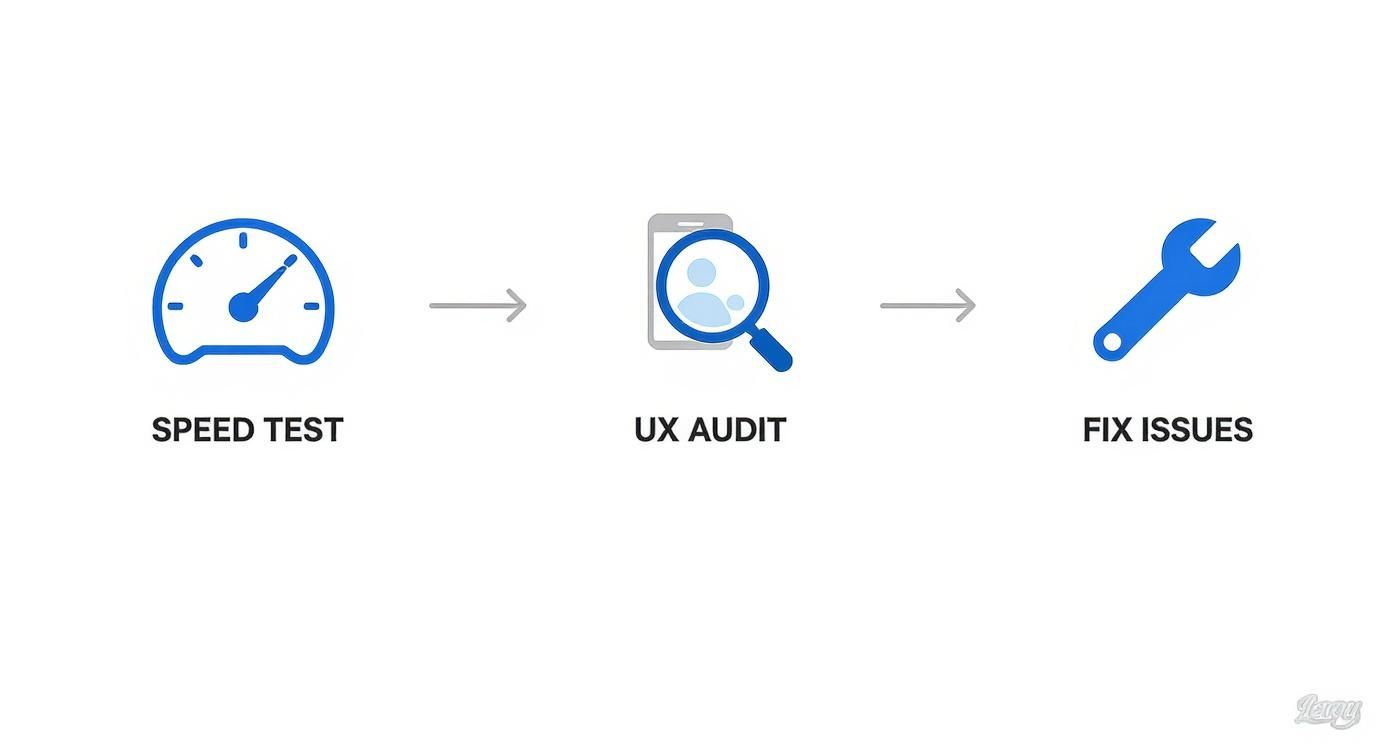
This test-audit-fix loop shows that site improvement isn't a one-and-done project. It's a continuous rhythm.
Prioritize Based on Impact and Effort
Not all fixes carry the same weight. The secret to making actual progress is sorting every single issue by asking two simple questions: How much will this move the needle on my SEO or sales? And how much work is it going to take to fix?
This simple grid helps you separate the easy wins from the massive projects, so you can build momentum and see results fast.
- High Impact, Low Effort (Quick Wins): Jump on these first. Think updating title tags for your top product pages, fixing a handful of broken internal links, or slapping a clear call-to-action on a high-traffic blog post. These tasks deliver the most bang for your buck, period.
- High Impact, High Effort (Major Projects): These are the big, necessary undertakings. This could be anything from migrating to a faster server, completely rethinking your mobile navigation, or building out a new content hub for a competitive category like "commercial refrigeration."
- Low Impact, Low Effort (Fill-in Tasks): These are the little things you can chip away at when you have a spare moment. We’re talking about updating alt text on old images or cleaning up a few sloppy meta descriptions.
- Low Impact, High Effort (Re-evaluate Later): Stick these at the very bottom of your list. They chew up a ton of resources for barely any return and often aren't worth the headache.
Building Your Remediation Plan
Once you know your priorities, get them documented in a clear, shared plan. A simple spreadsheet or a project management tool is all you need. The goal here is clarity, not complexity.
For every single item on your list, make sure you include these details:
- The Issue: A simple description of the problem (e.g., "Product page for 'XYZ Charbroiler' is a 404 error.").
- The Solution: The exact action needed (e.g., "Implement a 301 redirect from the broken URL to the new, live product page.").
- Impact Level: High, Medium, or Low.
- Effort Level: High, Medium, or Low.
- Owner: Who's doing the work?
- Status: Not Started, In Progress, or Complete.
Pro Tip: When you document a problem, always include the specific URL. This eliminates any guesswork and lets your developer or team member jump right to the problem without wasting time hunting it down.
For example, say your audit reveals that old product pages are being deleted without being redirected. That’s a double whammy—it creates a dead end for users and throws away valuable link equity. The fix is straightforward. You can learn more about how to do a 301 redirect here to make sure you preserve that SEO value. Documenting this specific task in your plan ensures it gets done right, every single time. This no-nonsense approach guarantees you're solving the most critical problems first and actually seeing tangible improvements in your site's performance and rankings.
Of course. Here is the rewritten section, crafted to sound like an experienced human expert and match the provided examples.
Common Questions About Website Audits
Even after walking through the whole process, it's totally normal to have a few questions lingering. Let's dig into some of the most common ones we hear from restaurant equipment suppliers. My goal here is to give you the confidence to get started with a clear plan.
How Often Should I Audit My Restaurant Equipment Website?
For most restaurant equipment sites, a full, deep-dive audit once a year is the sweet spot. Think of this as your annual physical—it gives you a solid benchmark of your site's overall health. But that absolutely does not mean you can set it and forget it for the other eleven months.
That's why I always recommend a "mini-audit" or health check every quarter. These quarterly check-ins are much more focused. You're just looking for red flags—monitoring your technical SEO in Google Search Console, running a quick crawl with a tool like Screaming Frog to find new broken links, and glancing at your top landing pages in Google Analytics to see if performance has dipped.
Now, if you're running a massive e-commerce site with thousands of SKUs or you’re in a ridiculously competitive niche, you might need to do the deep dive twice a year just to keep your edge.
The annual audit is the major checkup, but the quarterly reviews are what keep you healthy day-to-day. You’re trying to catch small issues before they snowball into big problems that actually cost you traffic and sales.
This rhythm keeps your site tuned up and ready for whatever the market—or Google—throws at it.
What Are the Most Common Critical Issues Found in an Audit?
When we get under the hood of restaurant equipment e-commerce sites, the same critical issues tend to show up over and over again. These problems usually fall into the technical and on-page SEO buckets, and they can absolutely tank your rankings if you ignore them.
Here are the biggest culprits we find almost every time:
- Indexation Errors: This is a huge one. We often find important product pages are accidentally blocked from Google through the robots.txt file or a stray 'noindex' tag. When that happens, they’re completely invisible to anyone searching for them.
- A Poor Mobile Experience: Let's be real—chefs and kitchen managers are looking up equipment on their phones between shifts. If your site is slow, the buttons are tiny, or the navigation is a mess on mobile, you’ve already lost them.
- Duplicate Content: This is usually an accidental own-goal, created by product filtering systems that generate a dozen different URLs for nearly identical results (like filtering charbroilers by size and fuel type). It just confuses search engines.
- Slow Page Speed: Nine times out of ten, the villain here is massive, uncompressed product images. A page that takes forever to load is frustrating for users and a major red flag for Google’s ranking algorithms.
Put these four issues at the very top of your checklist when you start your own review. Fixing them will give you the most bang for your buck.
Can I Do a Site Audit Myself, or Should I Hire a Pro?
You can absolutely get your hands dirty and do a solid, effective audit yourself using this guide. There's a surprising amount of insight you can get from free tools to get pointed in the right direction.
A DIY audit is perfect for spotting the low-hanging fruit and getting a baseline for your site's performance. The essentials for this are:
- Google Search Console: Non-negotiable for checking indexation, mobile-friendliness, and crawl errors.
- Google Analytics: The best way to find your most valuable pages and see where users are dropping off.
- PageSpeed Insights: Your report card for site speed and Core Web Vitals. It's blunt, but it's helpful.
But if you want to go deeper—we're talking serious backlink analysis, log file analysis, or a technical dive into schema markup—hiring an SEO professional is a smart move. They come with advanced paid tools and, more importantly, the experience to know which fixes will actually move the needle for your business.
A great approach is to start with a DIY audit to tackle the basics yourself. Then, think about bringing in a pro once a year or whenever you feel like your growth has hit a plateau. This hybrid strategy gives you the best of both worlds, empowering you to handle the day-to-day while leaning on an expert for the heavy lifting.
At Charbroilers.com, we get it. Running a restaurant is more than a full-time job, and finding the headspace for a deep-dive site audit can feel impossible. If you need a hand uncovering opportunities to get your equipment in front of more chefs and managers, our team lives and breathes SEO for the restaurant supply industry. From blogger outreach and local citation services to technical SEO and expert copywriting, we’ll handle the technical stuff so you can focus on what you do best. Check out our selection of commercial charbroilers and see for yourself how a well-optimized site drives real growth.