
Boost Visibility With Google My Business For Restaurants
Google My Business for Restaurants turns casual browsers into actual diners by putting your live menu, opening hours, and appetizing photos front and center in Google Search and Maps. Tweak your profile just right, and you could see visibility jump by 7×, while “food near me open now” searches have exploded 875% year-over-year.
Understanding Impact Of Google My Business For Restaurants
This profile is often a restaurant’s very first handshake with hungry guests. Get it right, and you fuel foot traffic and bookings before diners even click through to your website.
Industry data shows roughly 40% of diners discover new eateries via Google Search. Profiles optimized with fresh menus, exact hours, and high-res images capture those on-the-go searches—profiles see up to 7× more views compared to standalone sites.
Here’s where small changes drive big results:
- Claiming and verifying your listing builds credibility and unlocks performance insights.
- Keeping menus and hours spot-on ensures you show up for time-sensitive queries.
- Uploading mouthwatering, professional photos boosts engagement and click-through rates.
Key takeaway: Regular updates keep your restaurant front and center when diners are ready to decide.
The infographic below visualizes how search trends align with profile views:
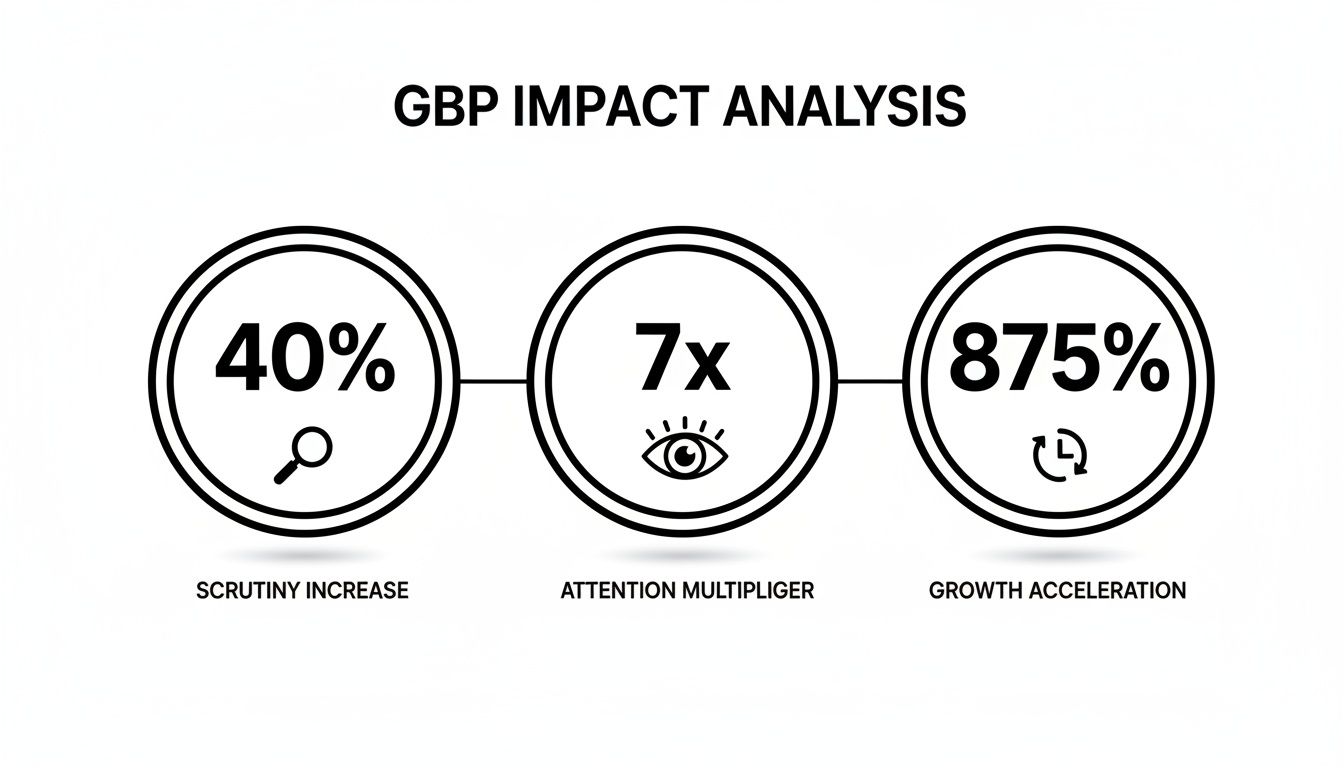
Search Query Trends And Profile Views Impact
To see the full picture, compare how different search queries have grown and how that translates into profile views for restaurants.
| Search Query Type | YoY Growth | Profile Impact |
|---|---|---|
| New Restaurant Search | 40% | 7× More Views |
| Food Near Me | 99% | 7× More Views |
| Food Near Me Open Now | 875% | 7× More Views |
These numbers underscore why a carefully maintained Business Profile is essential. Accurate categories, clear menus, and compelling photos drive the 40% discovery rate, capitalize on the 875% surge in urgent searches, and secure those extra 7× views.
A local café in Chicago saw direction requests climb by 25% after fine-tuning opening hours and adding vivid grill-and-kitchen imagery. Learn more about local citation building in our detailed guide.
Next up: a hands-on walkthrough to claim and verify your listing, step by step, so you can start reaping these benefits immediately.
Initial Setup Of Your Google Business Profile
Getting your restaurant’s Google Business Profile off the ground means starting with a dedicated Google account. It might feel basic, but isolating this account keeps your listing secure and avoids cross-contamination with personal or other business data.
Next, run a quick audit of your NAP—Name, Address, Phone Number—to make sure everything matches across your website, social channels, and directory listings. Consistency here is what prevents diners from scratching their heads (and Google from flagging your profile).
- Confirm that your legal business name aligns with your storefront
- Use the same street-address format on every platform
- Keep your primary phone number unchanged everywhere
Claiming Your Business Profile
After signing in, type your restaurant’s name into Google. If your listing pops up, hit Claim this business—if it’s missing, click Add your business to Google and follow the prompts.
Be on the lookout for duplicate entries. Two profiles can split your reviews, dilute your visibility, and confuse potential guests. Merge or remove any extras so you maintain a single, authoritative page.
Selecting The Right Business Category
Choosing the right category on Google is more than semantics—it shapes who sees you on the map. For instance, “Sushi Restaurant” will capture sushi lovers more efficiently than the broader “Japanese Cuisine” tag.
One neighborhood café made the swap from “Cafe” to “Artisan Bakery” and recorded a 15% bump in map clicks within a week.
Specific categories help Google surface your profile for high-intent searches
Verification Options With A Real Example
You’ve got three routes to verify: postcard, phone, or email. A postcard generally takes 5–7 days to arrive, while phone or email verifications can be almost instant for qualifying accounts.
A seaside grill in Miami shaved two days off their wait time by tweaking “Boulevard” to “Blvd” in their address—they avoided a mismatch at the postal hub.
Consistent address formatting can speed verification by up to 30%
- Postcard mailed to your physical address
- Instant phone call or text message
- Email link sent to the account owner
Setting Service Areas Hours And Contacts
Once verified, define your delivery or service radius under Service Areas. Accurate zones make sure you appear in nearby searches when diners are hungry.
Don’t forget to enter both your regular hours and any special schedules for holidays or events. And double-check that both your primary and backup phone numbers are listed correctly.
- Add or adjust service areas or delivery zones
- Edit Business Hours and Special Hours
- Verify all listed phone numbers
Tips For Seamless Setup
- Cross-reference USPS and Google Maps for an address that passes muster
- Use a personal email (avoid info@ or sales@) for verification to reduce red flags
- Assign a second admin so you can recover access if the primary email ever goes offline
Common Pitfalls To Avoid
- Inconsistent separators in your address (e.g., periods vs. hyphens) can break NAP matching
- Emojis in business names violate Google’s guidelines
- Skipping category selection leaves you invisible for niche searches
Your profile is now verified, categorized correctly, and prepped for menu uploads and photo updates.
Check out our guide on getting a Google Business listing for restaurants.
And remember: set up a backup verification method and audit for duplicates at least once a month. A fresh, accurate profile keeps your ranking strong and diners clicking.
Adding Your Menu and Service Items
Your Google My Business menu is more than a list—it’s a preview of your restaurant’s personality. When diners scroll through your profile, clear sections like Brunch, Lunch, Dinner, and Specials guide them straight to what they crave.
For instance, a neighborhood bistro might break its brunch offerings into “Eggs & Avocado” and “Pancake Stack.” That simple structure:
- Highlights late-morning favorites under Brunch
- Shows quick bites and salads in Lunch
- Features heartier entrees with side descriptions for Dinner
Short, accurate descriptions paired with transparent pricing keep confusion at bay. At Joe’s Pizza, adding playful callouts and emojis to the Weekend White Pie helped boost online orders by 20%.
Don’t forget to tag dietary filters like Vegetarian, Vegan, or Gluten-Free—that way, guests find their match in seconds. Inside the Google My Business dashboard, head over to the Menu tab, click Add Item, then fill in:
- A concise title
- A clear description
- The price
- A relevant photo
Real World Menu Setup
An urban diner I worked with used 🔥 and 🥗 emojis to spotlight its rotating specials. They scheduled monthly updates so nothing ever looked stale. The result? Complaints about outdated prices dropped by 15%.
Keep menus updated and clear to turn profile views into actual bookings
Regular checks help you spot errors before they reach hungry guests. Plan holiday rotations at least three weeks ahead and adjust prices immediately when costs shift.
| Rotation Type | Frequency | Benefit |
|---|---|---|
| Seasonal | Quarterly | Fresh appeal |
| Specials | Weekly | Drive urgency |
| Limited Time | Monthly | Prevents fatigue |
Tagging a vegan appetizer under Menu Attributes can lift its visibility by 30%, especially when diners search “vegan near me.”
Tips For Fresh Rotations
- Set calendar reminders to review your menu every 30 days
- Use the scheduling feature to automate seasonal changes
- Remove sold-out items the moment they vanish
Integrate “Order Now” links to popular delivery platforms for a seamless experience. Preview your menu on mobile—make sure descriptions don’t wrap oddly and prices stay visible without extra taps. A quick daily test after updates will catch formatting hiccups before customers notice.
Final Menu Maintenance
Archive old menus—this keeps your profile sharp and on-brand. Track all price tweaks in a shared spreadsheet so the whole team stays in sync. Aim for under 10 items per section to boost readability, and reserve tags like “house special” or “chef’s pick” for standout dishes only.
- Review competitor pricing for context
- Post updates within 24 hours of any change
- Keep modifiers purposeful, not overused
By combining clear structure, engaging visuals, and real-time edits, your menu on Google My Business becomes a powerful booking tool. Diners value honesty in offerings and pricing, and an optimized menu translates directly into more calls, orders, and table reservations. Next up: crafting photo-perfect images and fine-tuning restaurant attributes to make your profile truly irresistible.
Optimizing Photos, Attributes, and Posts
Choosing the right visuals draws hungry diners straight to your Google profile. Crisp, high-resolution shots tell people your kitchen cares about presentation—and freshness. Plus, when viewers linger on great images, Google notices and pushes you up in local searches.
Aim for 15–30 photos that capture:
- Interior Ambiance: seating nooks, light pouring through windows
- Kitchen Action: charbroiler flames, chef tossing ingredients
- Plated Close-Ups: texture, color, and garnish details
Keep each file under 1MB and write alt text like “charbroiled steak with smoky grill marks.” That small detail boosts accessibility and helps Google’s AI understand your scene.
An urban bistro in Seattle swapped grainy winter windowside shots for bright spring patio scenes—and saw a 30% jump in reservation clicks.
Optimizing Photo File Sizes
Large images drag down page speed, especially on mobile. Strike a balance by using tools such as ImageOptim or TinyPNG to compress files without visible quality loss. Faster load times mean fewer casual browsers bouncing away.
Choosing Impactful Photos
The order you upload tells a story. Start with your signature dish as the “hero,” then showcase behind-the-scenes kitchen moments and finish with group tables or seasonal decor to guide visitors through a dining journey.
• Rename files with clear keywords (e.g., “charbroiler-fish-grill.jpg”)
• Use compression tools to keep file weights low
• Sequence images from appetizer to dessert
A local bistro updated its gallery for spring dishes and enjoyed a 30% surge in online bookings within two weeks
Configuring Restaurant Attributes
Attributes signal exactly what you offer, so diners find you when searching “outdoor seating near me” or “takeout.” Accurate toggles cut down on wrong clicks and frustrated visitors.
- Takeout & Delivery: list curbside pickup or third-party apps
- Reservation Systems: enable “Reserve with Google” for platforms like OpenTable or Resy
- Dining Experience: mark “Outdoor seating,” “Wheelchair accessible,” “Pet friendly”
Append UTM parameters to reservation or menu links to track which attributes drive the most bookings.
A downtown café added “Vegan Options” under attributes and saw a 20% lift in related search clicks within one month.
| Attribute | Setup Location | Customer Benefit |
|---|---|---|
| Takeout | Services Tab | Increases off-premise orders |
| Reserve with Google | Reservation Link | Reduces no-shows |
| Outdoor Seating | Attributes | Attracts patio diners |
Crafting Engaging Posts
Fresh posts tell Google your restaurant is active—and give diners a reason to click right now. Share new menu items, weekend specials, or live-music nights to tap into that “I’ve got to book” feeling.
Plan your calendar like this:
- Mondays: reveal weekend brunch lineup
- Wednesdays: tease themed dinner nights
- Alternate media: mix static food shots with 15–30 second clips
Research shows about 40% of people are more likely to visit after seeing appetizing food photos, and Google’s AI-driven image/video results rose 33% year-over-year. Learn more about restaurant search trends in 2025 on Search Engine Land.
Post Best Practices
- Write punchy headlines with clear CTAs (like “Book Now” or “Order Online”)
- Attach a relevant photo or clip under 30 seconds
- Set expiry dates to create urgency
- Use emojis sparingly (🎉, 🔥) to draw attention
Maintaining this rhythm boosts direction requests, website clicks, and reservations. Next, we’ll tackle review management and seamless booking-link integration to round out your Google Business Profile.
Managing Reviews And Building Your Reputation
Every star on your Google My Business listing speaks volumes. Customer reviews shape how diners see you and influence your spot in local search results. In this guide, you’ll learn hands-on tactics—from asking for feedback in person to digital follow-ups—that help you boost ratings and keep guests coming back.
Encouraging Authentic Feedback
Timing and tone matter. When servers casually mention review options at the end of a meal, guests feel appreciated rather than pressured. Slip a QR code onto the receipt and you’ll be surprised how often people pause to scan.
- Place table prompts: small cards or stickers with a review link
- Launch digital campaigns: automated email or SMS 24 hours after dining
- Introduce staff incentives: reward team members who hit review targets
Aim for at least 50 current reviews to meet a solid benchmark. Profiles with higher review counts tend to rank better in Google’s local pack.
Studies show 64% to 88% of diners rely on Google reviews when choosing where to eat, and businesses with more reviews outperform the average of 39 local entries. Learn more about review impact on Birdeye’s blog.
A one-star increase often corresponds to a 5–9% revenue lift, making review management a measurable ROI activity.
Crafting Genuine Responses
A thoughtful reply tells diners you’re listening—and ready to act. Keep each message warm and personal, even if you lean on a template for structure.
- Thank the reviewer by name
- Mention a detail from their visit
- Offer a solution or invitation to return
- Sign off with a friendly note
A family-owned bistro revamped its response style, moving from stiff formality to genuine conversation. Their rating jumped from 3.8 to 4.5 stars.
| Initial Rating | Improved Rating | Estimated Revenue Change |
|---|---|---|
| 3.8 stars | 4.5 stars | +9% |
Positive, timely replies encourage more engagement and build your restaurant’s credibility.
Monitoring And Tracking Performance
Consistency beats guessing. Pull data from Google Business Profile Insights each week and mark trends in a simple spreadsheet or dashboard.
- Log number of new reviews weekly
- Track average star rating over 30 days
- Monitor response rate and response time
Set alerts so you can respond within 24 hours, conduct quarterly audits to clean up duplicates, and meet monthly with your team to discuss feedback patterns.
Handling Negative Feedback
Negative reviews aren’t the end of the world—they’re an opportunity. When you respond within 48 hours and offer a clear path to resolution, critics often turn into allies.
- Acknowledge the issue promptly
- Provide a direct contact channel
- Implement visible improvements and share updates
After diners at a local café complained about a confusing menu, management redesigned it. In two months, the rating climbed from 4.0 to 4.3 stars.
Advanced Review Strategies
Bring more life to your reviews by encouraging photo submissions. Visuals help future guests imagine your dishes and atmosphere.
- Offer small discounts for photo reviews
- Feature top snapshots in Google Posts
- Highlight star contributors on your website
This kind of engagement signals to Google that your restaurant is active and worthy of higher placement.
Mastering review management not only strengthens trust with diners but also fuels your local SEO. Start tracking and responding today to keep your restaurant top of mind—and on top of search results.
Integrating Links, Measuring Performance, And Troubleshooting
Connecting your reservation and delivery platforms right in your Google Business Profile means turning casual browsers into booked tables. Whether it’s OpenTable, Resy, or a custom widget, a well-placed action button on both desktop and mobile cuts out any guesswork.
I once worked with a bustling downtown taco bar that swapped its generic website link for a Resy URL complete with UTM tags. Within just two weeks, 18% more diners booked via Google.
Link Integration For Reservation And Orders
Embedding the right links is half the battle. The other half? Tracking their success.
- Under “Reserve With Google,” drop in your partner dashboard URL for OpenTable or Resy.
- For delivery, label clearly—Uber Eats or DoorDash links belong under “Order.”
- Custom widgets fit neatly into the website link field via an HTML snippet.
Adding UTM tags gives you full visibility on which platform is actually driving diners through your doors. Keep these pointers in mind:
- Use concise action verbs that match the service.
- Stick to under 20 characters so labels don’t get cut off.
- Experiment with
utm_contentto see which calls-to-action perform best.
Then, in Analytics, look under Acquisition > Campaigns to confirm your naming conventions, like springMenuPromo. Always test in a private browser session to ensure your UTM parameters survive the click.
Tracking Profile Performance
Google Business Profile Insights break down user behavior at a glance. Key metrics to watch:
- Direction Requests: How many folks grabbed turn-by-turn directions?
- Website Clicks: Who’s curious enough to view your menu?
- Calls: A strong buying signal when someone dials in.
- Photo Views: Which images are making mouths water?
You can slice these numbers by week, month, or any custom range. If you manage multiple locations, this side-by-side view helps you decide where to focus your marketing dollars.
Tip: Export your Insights as a CSV every month and build a simple dashboard with filters. It saves time and surfaces trends fast.
| Metric | Location A | Location B |
|---|---|---|
| Direction requests | 120 | 85 |
| Website clicks | 230 | 190 |
| Reservation clicks | 60 | 45 |
Analyzing Multi Location Data
Some spots thrive while others lag—even with similar menus. Dig into local factors like parking availability or nearby events.
- Cross-reference Insights with your Google Analytics goals to spot where conversions drop.
- Compare UTM-tagged campaign performance by source and medium.
- Isolate holiday or promotion windows with date filters to see what really drove traffic.
Making these data-driven shifts can boost off-peak bookings by up to 20%. For instance, a seaside café reallocated summer-budget tags to winter brunch offers and bumped off-season bookings by 15%.
Troubleshooting Profile Issues
Duplicate pages, inconsistent NAP details, or policy hiccups can all chip away at your visibility. Here’s how I tackle them:
- Merge extra listings with the Google Business Profile merge tool.
- Fix verification errors by standardizing your address format and reapplying for phone or postcard verification.
- Double-check your primary and secondary categories so you show up in the right searches.
Regular audits—every quarter—are your safety net. A quick run-through of listing details and user feedback prevents most headaches before they hit.
“Proactive troubleshooting keeps your Google profile live, accurate, and ready for diners on demand.”
For deeper visibility checks and fixes, check out our guide on why your business might not appear on Google for practical tips:
https://restaurantequipmentseo.com/blogs/restaurant-equipment-seo-blog/why-isn’t-my-business-showing-up-on-google
Preventing Future Issues
Maintaining uniform NAP data across all citations is non-negotiable. A reliable citation service or tool can automate updates and squash errors.
- Keep your website, social media, and directories in sync.
- Monitor competitor profiles monthly to stay ahead of emerging trends.
- Educate your team on Google policy updates so every menu tweak doesn’t become a suspension risk.
By reviewing your profile after each menu change, you’ll dodge unexpected visibility drops and keep those bookings flowing.
Frequently Asked Questions
Many restaurant operators hit the same roadblocks when fine-tuning their Google Business Profile. A little clarity goes a long way toward smoother optimization.
Below are four of the most common questions—and hands-on fixes—to keep your profile running flawlessly.
Q1 How Long Does Verification Usually Take?
Most postcards arrive in 5–7 days, though you can often get instant approval by phone or email. Double-check that your address matches Google’s preferred format to sidestep any hold-ups.
Q2 How Can I Set Special Hours for Holidays and Events?
Jump into the Special Hours section in your dashboard. Planning at least two weeks ahead ensures you capture seasonal traffic without disrupting your regular schedule.
Advanced Property Options
Q3 What’s the Best Way to Link Delivery Apps and Reservation Systems?
In your Business Profile dashboard, choose Add Service and paste each platform’s direct URL. Then test the booking buttons on desktop and mobile. Finally, append UTM tags to track clicks in Google Analytics.
Q4 What Should I Do If My Profile Is Suspended?
First, read Google’s suspension email for any policy violations. Correct any inconsistencies in your NAP (Name, Address, Phone). Gather supporting documents and appeal through the Business Help Center. Keeping citations consistent is the best long-term defense.
“Fast verification and accurate hours make profiles more reliable for diners and Google’s algorithm”
| Common Issue | Quick Fix |
|---|---|
| Slow postcard verification | Verify by phone or email for instant approval |
| Incorrect business hours | Use Special Hours and preview in Maps |
| Delivery link not working | Test URLs on desktop and mobile |
| Profile suspension | Appeal with consistent NAP documentation |
Common Mistakes To Avoid
- Missing holiday hours and confusing guests.
- Skipping mobile tests for booking buttons.
- Using mismatched URLs across platforms.
A quick review today prevents lost reservations tomorrow.
Tip Conduct quarterly profile audits to catch small errors before they turn into bigger problems.
Regular updates can boost local pack visibility by over 20%
Prioritize Regular Audits
- Check NAP consistency across 5 major directories every month.
- Review Special Hours and menu links every 30 days.
Ready to upgrade your kitchen gear and optimize every dish? Visit Charbroilers.com to find the perfect commercial charbroiler for your restaurant. We also offer specialized SEO and content services—local citation services, blog posting, blogger outreach, copywriting, and article writing—tailored for restaurant equipment supply websites. Order yours now.