

Master Your Food Inventory Management System
A food inventory management system isn't just about counting boxes in the walk-in. Think of it as the strategic playbook for tracking every single ingredient in your restaurant—from the moment it's delivered to the second it's sold in a dish. It’s a smart combination of processes and technology designed to get a handle on food costs, crush waste, and make sure you always have what you need without tying up cash in overstocked shelves.
As experts in providing SEO, local citation services, and compelling content like blog posts and articles for restaurant equipment supply websites, we understand that a well-run back-of-house is the foundation of profitability. Managing inventory effectively is a critical piece of that puzzle.
The Secret Ingredient to Restaurant Profitability
There's no feeling quite like staring at an overflowing storeroom while your server tells a customer their favorite dish is 86'd for the night. This is the classic restaurant nightmare: having way too much of what you don't need and not enough of what you do. It's a frustrating, expensive problem that stems directly from a lack of inventory control. A food inventory management system is the unsung hero that brings calm to this kitchen chaos.
Stop thinking of it as just software. It’s more like your kitchen’s central nervous system. It takes in all the vital information—supplier deliveries, what's selling through your POS, and what's spoiling—and helps you find the perfect operational balance. It’s the difference between guessing how much beef you’ll need for the weekend rush and knowing with data-backed confidence. If you want to see just how powerful this can be, check out how other businesses optimized inventory and completely changed their game.
Why Guesswork Costs You Money
Without a solid system in place, most restaurants run on gut feelings and habits. This guesswork leads to some seriously expensive mistakes. Ordering too much ties up your cash in stock that could spoil, while ordering too little means lost sales and disappointed customers who might not come back.
A structured process fixes this by helping you:
- Slash Food Waste: By tracking exactly what you use and setting smart reorder points (or par levels), you only buy what you know you'll need. This is the fastest way to dramatically cut down on spoilage.
- Master Food Cost Control: When you can accurately track your inventory, you get a crystal-clear picture of your true Cost of Goods Sold (COGS). This lets you price your menu for profit and quickly spot problems like over-portioning or employee theft.
- Boost Operational Efficiency: Your team will spend way less time on frantic, last-minute manual counts and more time doing what they do best—creating great food and serving guests.
A well-run inventory system gives you the complete visibility you need to make smarter purchasing decisions. It turns raw data into financial insights you can actually use.
Connecting Inventory to Broader Success
At the end of the day, mastering your inventory is about more than just managing supplies. It’s about building a stronger, more profitable business from the ground up.
When you truly understand your stock levels and usage patterns, that knowledge informs everything you do, from engineering a more profitable menu to negotiating better deals with your suppliers. It’s a foundational piece of the puzzle that aligns with many modern strategies for restaurant success, which you can read more about in these current food service industry trends. When you stop treating inventory as a chore and start seeing it as a core business function, you unlock the real secret ingredient to lasting profitability.
How a Food Inventory System Really Works
Let's pull back the curtain on what a food inventory management system is actually doing in your kitchen day-to-day. The best way to think of it is as your restaurant's brain. It’s a smart hub that’s constantly processing information to keep everything in balance, tracking every delivery, looking at sales data from your POS, and even accounting for spoilage. It turns the typical back-of-house chaos into clean, usable data.
To really get it, let's follow a single ingredient on its journey: the humble avocado. In a restaurant without a system, avocados show up, get put away, and are grabbed whenever a cook needs one. You have no real idea if they were used efficiently, if some went bad in the back of the cooler, or if the kitchen is being a little too generous with the guacamole portions.
Now, with a food inventory system in place, that case of avocados is scanned or logged the second it hits the receiving dock. That's your starting point. From there, the system is wired into your sales. Every time a customer orders the avocado toast, the software automatically subtracts the exact recipe amount of avocado from your digital stock count. No guesswork.
From Chaos to Control
This approach completely flips the script, turning inventory from a frustrating, reactive chore into a proactive business strategy. The infographic below paints a clear picture of this shift, showing how a structured system untangles the mess of manual tracking and paves a direct path to better profits.
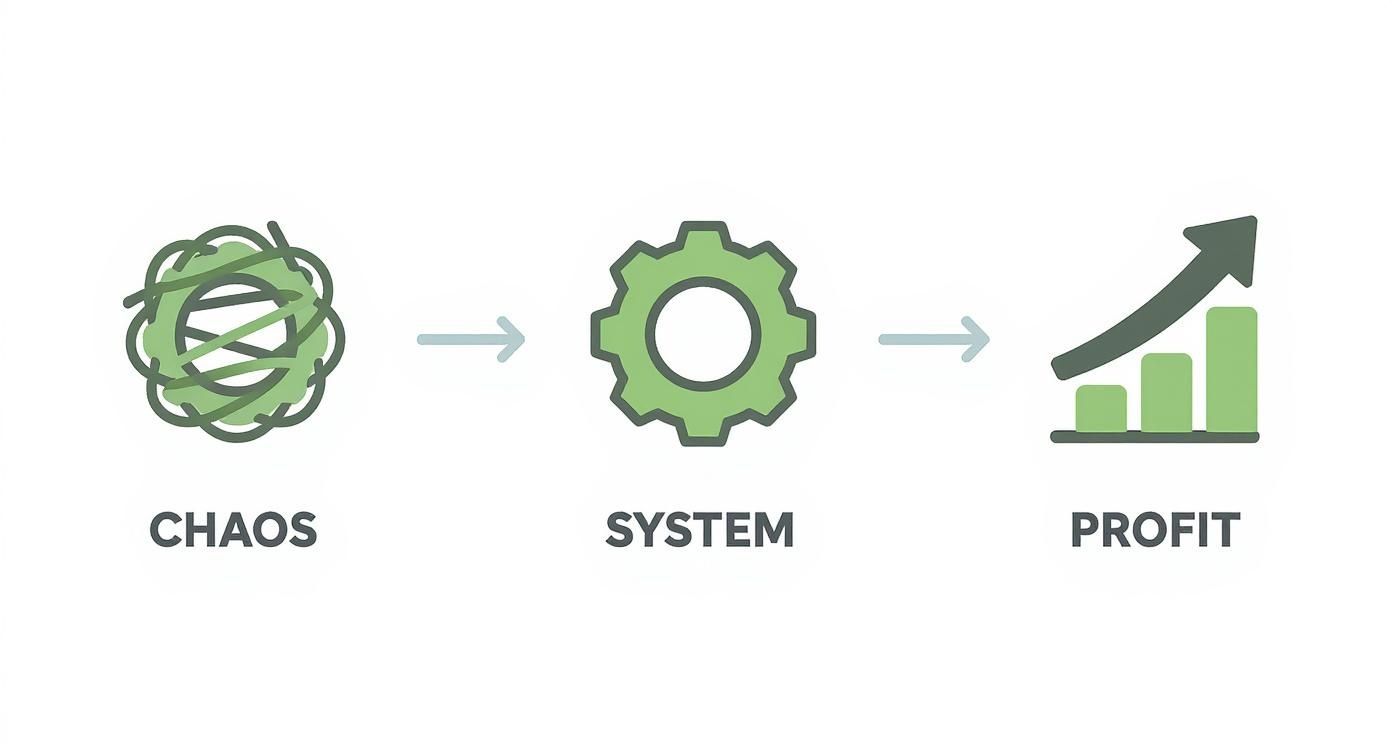
As you can see, the system is the bridge between the disorganization of old-school methods and the financial success you're aiming for. It’s the engine that powers smarter operational and financial decisions.
This gives you total visibility into your stock, which is a world away from the old clipboard-and-pen method. Manual counts are not only slow but notoriously full of human error, giving you a blurry snapshot that’s already out of date. A modern system, on the other hand, offers a live, breathing view of your inventory, wiping out the assumptions that lead to expensive mistakes.
Take a look at how the two methods stack up. It becomes pretty clear why leaning on technology is a no-brainer for a modern restaurant.
Manual vs Automated Inventory Management
| Feature | Manual Inventory Tracking | Automated System |
|---|---|---|
| Data Entry | Pen and paper or basic spreadsheets; completely manual | Barcode scanning and POS integration; mostly automated |
| Accuracy | Prone to human error, miscounts, and typos | Highly accurate with real-time data syncing |
| Time Investment | Extremely time-consuming; requires hours of staff labor | Fast and efficient; counts take a fraction of the time |
| Reporting | Basic, delayed reports that are difficult to analyze | Instant, detailed reports on food cost, usage, and waste |
| Waste Control | Difficult to track spoilage or over-portioning accurately | Flags potential waste and helps enforce FIFO |
| Ordering | Based on guesswork and recent memory | Generates suggested orders based on sales data and par levels |
Switching to an automated system is less about just upgrading your tools and more about upgrading your entire operational philosophy. It frees up your team to focus on what matters: the food and the guests.
Understanding Key Inventory Concepts
To really make a system work for you, you need to grasp the core ideas it's built on. These aren't just business school buzzwords; they're the practical rules of the road for running a tighter, more profitable kitchen.
Here are the three pillars you need to know:
- Par Levels: This is simply the minimum amount of any ingredient you need to have on the shelf to get you through to your next delivery. Your system will help you set these levels based on actual sales data, not a gut feeling. When your avocado stock dips below its par level, the system flags it for the next order. Simple. No more 86'ing your most popular dish mid-service.
- FIFO (First-In, First-Out): A straightforward but critical rule for stock rotation. It’s all about making sure the oldest ingredients—the avocados that arrived on Monday—get used before the new case that came in on Wednesday. A good system tracks delivery dates for you, making FIFO second nature and dramatically cutting down on spoilage.
- Variance: Here’s where the magic happens. Variance is the gap between how much inventory you should have used (based on what you sold) and what you actually have left on the shelf. A high variance on avocados could mean anything from sloppy portioning to waste or even theft. Your system does the math instantly, pointing you right to the problems that are quietly draining your bank account.
By tracking variance, you stop wondering where your money went and start knowing exactly where to look. It’s the most direct path to finding and plugging the profit leaks in your operation.
At the end of the day, a food inventory management system isn’t just a fancy calculator. It's a decision-making machine. It gives you the cold, hard data needed to order smarter, waste less, and price your menu for true profitability. This kind of organized, data-driven approach is the foundation every financially healthy restaurant is built on.
So, What's In It For Your Restaurant?
Bringing a new system into your restaurant isn't about chasing the latest tech trend. It’s about what that system actually does for your bank account and your daily grind. A modern food inventory management system isn't just another bill to pay; it's an engine for growth that delivers real, measurable results across your entire operation.
Think of it in three key ways: it helps your finances, it smooths out your operations, and it gives you the data to make smarter decisions down the road. Each piece works with the others to build a restaurant that’s more profitable, efficient, and less prone to the chaos that can sink a business in this tough industry. It's about swapping guesswork for hard data, giving you real control.
Bolster Your Bottom Line
The first and most obvious win you’ll see is in your finances. An inventory system gives you a crystal-clear picture of where every dollar is going, turning that walk-in cooler from a source of anxiety into a well-managed asset.
Let’s talk about food waste—it’s one of the biggest money pits in any kitchen. Globally, a staggering 30-40% of food meant for restaurants gets thrown out. A good inventory system fights this head-on by making sure you order what you actually need based on what you’re selling. It's no surprise that restaurants using this software see their food costs drop by 3-5% compared to those who don't. That’s a huge chunk of change that goes directly into your pocket. You can find more details in these restaurant inventory management software statistics.
Here's how it shakes out financially:
- Slash Food Waste: The system keeps an eye on expiration dates and helps your team stick to a First-In, First-Out (FIFO) process. You stop throwing money in the trash just because ingredients expired on a back shelf.
- Fatter Profit Margins: When you know the exact cost of every ingredient in a dish, you can price your menu to actually make money. You'll also spot when a supplier's prices are creeping up so you can react quickly.
- Better Cash Flow: Overstocking is just tying up your cash in frozen chicken and boxes of pasta. A system helps you run leaner, freeing up that money for marketing, payroll, or anything else your business needs.
Smooth Out Your Day-to-Day Operations
Beyond the numbers, a food inventory system just makes the daily chaos of running a restaurant a little more manageable. It gets rid of the boring, repetitive tasks, cuts down on human error, and lets your team work smarter, not harder.
Just think about the hours your crew spends with a clipboard, manually counting every single item in the storeroom. It's slow, tedious, and a recipe for mistakes that cost you real money. Automating that process frees up valuable time that could be spent dialing in a new recipe or making sure every guest has a great experience.
Imagine a packed Friday night where you never have to 86 a popular dish. That's the kind of operational peace of mind a well-managed inventory delivers.
This kind of stability stops you from scrambling when you run out of a key ingredient mid-service—a situation that always leads to unhappy customers and lost sales. Your team can stop putting out fires and start proactively managing your stock.
Make Smarter Decisions for the Future
Maybe the biggest long-term payoff is the mountain of data your system gathers. This isn't just a bunch of numbers; it's the foundation for making smarter, more strategic moves that will help your restaurant grow for years to come.
Your inventory data, for instance, is tied directly to your sales. By looking at that connection, you can easily see which menu items are your rockstars (high profit, high sales) and which ones are duds (low profit, sitting on the shelf). That’s gold for menu engineering, helping you tweak your offerings to be as profitable as possible.
And it doesn't stop there. When you walk into a meeting with a supplier armed with exact data on how many pounds of ground beef you buy every month, you’re in a much better position to negotiate a better price. The data also makes your sales forecasting incredibly accurate, so you can prep for a holiday rush or a slow season with confidence, instead of just guessing.
Essential Features Your System Must Have
Choosing a food inventory management system is like picking a new stove—you need one that works with your kitchen’s flow, not against it. There are countless options out there, but only a few will truly earn their keep. Zero in on the must-have features, and you’ll avoid costly disappointments.
A solid platform does more than count cans and bottles. It automates repetitive chores, delivers clear insights, and links your front-of-house sales with back-of-house stock. In other words, it stops being a spreadsheet and starts acting like a genuine teammate, cutting waste and sharpening your cost control.
Real-Time Inventory Tracking
When an order hits your POS, you should see the stock adjust instantly. That’s the magic of real-time inventory tracking. No more relying on stale counts or surprise “86’d” items during dinner rush.
Imagine selling a burger. The system deducts one bun, one patty, two cheese slices, plus lettuce and tomato—all in a heartbeat. You stay on top of usage, make smarter orders, and keep your hottest items in play.
POS And Supplier Integration
Nothing slows you down like tools that don’t talk to each other. Strong integrations glue your operation together:
- Point Of Sale (POS) Integration: Captures every sale and feeds it straight into your inventory, slashing manual-entry mistakes.
- Supplier Management: Holds your vendor catalogs, pricing history, and order records in a single spot. Reordering becomes a breeze, and you spot price shifts before they hurt your margin.
A food inventory management system without solid integrations is like a chef’s knife that won’t hold an edge—it may look sharp, but it won’t slice where it counts.
Automated Purchasing And Par Levels
Set a minimum stock level—your “par”—and let the system trigger purchase suggestions for you. With automated purchasing, there’s no more guessing or late-night fridge audits.
You’ll keep just enough inventory to avoid spoilage without over-tying your cash. It’s like having a reliable sous-chef keeping an eye on every crate and carton.
Menu Costing And Recipe Management
Flying blind on your dish costs is a recipe for missed profits. A robust menu costing tool lets you input recipes down to the gram and calculates each plate’s cost on the spot.
When chicken prices climb, you’ll instantly see the impact on your grilled-chicken special. Then you can tweak recipes or prices before your margins take a hit. For advice on other kitchen safety essentials, check out our guide on commercial kitchen ventilation requirements.
Analytics And Reporting Dashboards
Numbers alone don’t solve problems—insights do. A clear analytics dashboard gives you food-cost percentages, turnover rates, waste figures, and sales trends at a glance.
Spot a spike in waste for a particular ingredient? You can investigate over-portioning, theft, or spoilage before it eats your profits. That’s how inventory management shifts from a chore to a strategic advantage.
To visualize how each feature supports your kitchen’s efficiency, here’s a quick overview:
Core System Features and Their Impact
| Feature | Primary Benefit |
|---|---|
| Real-Time Inventory Tracking | Provides instant visibility into stock levels, eliminating manual audits and reducing stockouts |
| POS Integration | Synchronizes sales data for accurate usage tracking and reduces manual entry errors |
| Supplier Management | Centralizes vendor catalogs and price history, streamlining reorders and cost negotiations |
| Automated Purchasing | Triggers orders at predefined par levels to maintain optimal stock and improve cash flow |
| Menu Costing & Recipe Management | Calculates dish costs based on real-time ingredient prices for profitable menu planning |
| Analytics & Reporting Dashboards | Turns data into actionable insights to monitor performance and curb waste |
This table highlights how matching the right functionality to your needs sets you up for smoother operations and healthier margins.
How To Choose The Right System For Your Business
Picking the right food inventory management system doesn’t have to feel like a shot in the dark. A clear process makes it easier to zero in on a platform that truly fits your restaurant’s workflow.
What works for a single-location café might buckle under the demands of a multi-site chain. Your aim is simple: find a tool that grows with you, stays within budget, and feels like part of the team from day one.
Assess Your Unique Operational Needs
Every kitchen has its own quirks. A neighborhood bistro with a rotating specials board juggles different pressures than a busy pizza joint tracking hundreds of pounds of cheese each week.
Start by asking:
- Business Size: Single spot or multiple locations? Chains need features that tie branches together.
- Menu Complexity: Do your dishes call for a handful of staples or dozens of ingredients? More complex recipes demand stronger costing tools.
- Staff Tech-Savviness: Will your team embrace a new app, or do you need something ultra-intuitive?
Pinpointing these factors helps you weed out systems that are either too basic or overkill for your operation.
Prioritize Critical Integrations
No inventory tool lives in isolation. It must talk to your Point of Sale (POS) system without missing a beat.
When sales flow automatically into your inventory counts, you scrap hours of manual entries and get a live snapshot of stock levels. Don’t forget to check compatibility with your accounting package too—clean financial reports should be just as hands-off. For a wider look at top options, see this guide on best inventory management software.
Compare Cloud-Based Vs On-Premise Solutions
Choosing between cloud and on-premise is more than a tech debate—it shapes costs, maintenance, and flexibility.
A cloud-based system lets you peek at inventory numbers from any device, anywhere.
On-premise installs sit on local servers, which often means hefty upfront costs and IT headaches. In contrast, cloud platforms usually run on monthly subscriptions, making them easier to budget and scale.
Restaurant inventory software is on track to hit $2.5 billion by 2025 and grow at about 15% annually through 2033. The numbers tell the story: remote access and scalability are driving restaurants toward cloud solutions. You can dive deeper into the latest restaurant software market growth data. In the end, a scalable system becomes an investment in your future, not a roadblock.
A Practical Guide to System Implementation
A top-tier food inventory management system is only as good as its rollout. Even the most powerful software won't deliver results if the implementation process is clumsy or rushed.
You have to start with careful data preparation. This means gathering all your recipes, supplier contacts, and historical sales numbers before you do anything else.
Getting this right from the beginning helps you sidestep common headaches, like setting incorrect par levels or discovering missing ingredients in your digital records after you've already gone live.
Once your data is clean, you can configure the system to match your kitchen’s actual workflow and menu. A solid plan here ensures that crucial features, like real-time tracking and automated ordering, are ready to go from day one.
Initial Data Preparation
This isn't just about data entry; it's about accuracy. Double-check every recipe against your standard portion sizes to keep food cost variance under control. Make sure all your supplier information is up-to-date to prevent ordering delays or pricing errors.
Then, you'll need to map your existing inventory codes to the new system's format. It’s a bit tedious, but it’s essential for consistency.
- Data Preparation: Build a clean database of every recipe, supplier, and current stock level. No shortcuts.
- System Configuration: Customize the software to match your workflows, set your par levels, and integrate with your POS system.
- Staff Training: Run hands-on workshops with your team and create simple quick-reference guides they can actually use.
- Go-Live Support: Have someone on point to monitor usage, fix early bugs, and celebrate the small wins to build momentum.
Configuration And Training
Proper configuration is all about making the system work for you, not the other way around. This means getting the POS integration right, setting up user permissions, and customizing alert settings to fit how your team operates.
Next up is training. Forget boring lectures. Train your staff in small groups using real-world scenarios to build their confidence. When team members see exactly how the new tool makes their daily tasks easier, they're far more likely to get on board.
"Implementing with phased rollouts reduces overwhelm and fosters early wins,” says inventory expert Maria Lopez.
Even with the best plan, some people will resist change. The key to overcoming this is to constantly highlight how the new system eliminates tedious manual counts and reduces costly errors. Show them the "what's in it for me."
The integration of AI, IoT, and machine learning is making automated tracking and forecasting incredibly powerful, but these technologies can stretch budgets and challenge older systems. You can learn more about AI and inventory management market growth insights to see where the industry is heading.
When launch day arrives, make sure there’s a designated support person to handle issues and collect feedback. A few quick tweaks in that first week can save everyone hours of frustration down the road.
Regular check-ins and quick refresher training sessions will keep adoption rates high and ensure your team is using the system to its full potential. Celebrating small victories, like the first perfect stock count, is a great way to reinforce staff buy-in.
A well-organized kitchen is the foundation of a smooth inventory process. Check out our guide on commercial kitchen design layout to see how a thoughtful workspace supports seamless workflows.
Mistakes will happen, especially with data entry. Simple validation rules can catch typos and mismatches before they cause bigger problems. Setting up automated audit reports to flag unusually high usage or cost swings helps you spot issues fast.
Use templates and checklists to keep every phase of the project on track and visible to the whole team. This clarity cuts down on confusion and makes the transition from data prep to go-live feel much smoother.
Ultimately, a phased implementation lets your team master one step at a time, building confidence along the way. This approach weaves the new system into the fabric of your daily operations, driving adoption and setting the stage for continuous improvement.
Common Questions, Answered
Even when you see all the upsides, pulling the trigger on a new food inventory management system can feel like a big leap. It’s natural to have some practical questions. Let's get into the most common ones we hear from restaurant owners, so you can move forward feeling confident.
How Much Is This Going To Cost Me?
There’s no single price tag. The cost really depends on what you need and how big your restaurant is. For a single-location spot, you’re typically looking at a subscription between $50 and $150 a month for a solid cloud-based system.
If you’re running multiple locations or want really deep analytics, the price can climb to anywhere from $200 to over $500 per month. But don't just look at the cost—think about the return. If a $200 monthly fee cuts thousands from your food waste and labor bill, it's paying for itself over and over. Always get the pricing in writing and ask point-blank if there are any setup fees.
How Long Does It Take To Get A New Inventory System Running?
The timeline here is tied directly to how complex your operation is. A small cafe with a simple menu could be up and running in just a week or two. That includes punching in all your recipes, suppliers, and doing that first big stock count.
On the other hand, a large restaurant or a business with several locations might need four to six weeks to get everything dialed in. The biggest time sink is almost always that initial data entry. To make life easier, find a provider with great customer support or tools that help you import data smoothly. And whatever you do, schedule dedicated time to train your staff before you go live. It’s the key to a smooth switch.
The success of your new system has less to do with the software itself and more to do with the quality of your initial data and how well your team is trained.
Will This Thing Actually Talk To My POS?
It absolutely has to. Integration isn't just a nice-to-have feature; it's a deal-breaker. Most modern inventory systems are built to connect with the major Point of Sale (POS) platforms, and that’s what makes the magic happen. This connection is how ingredients get deducted from your inventory in real-time as your team rings up orders.
Before you even think about signing a contract for a food inventory management system, you have to confirm it works with your specific POS. Software companies usually list their integration partners right on their website, so it's easy to check. If you don't see yours, call their sales team. Don't take any chances, because without that connection, you're back to manual data entry—which defeats the whole purpose of upgrading.
At Charbroilers.com, we know that an efficient kitchen starts with great equipment. While inventory software keeps your stock in check, our commercial charbroilers make sure every ingredient is cooked perfectly, delivering that smoky flavor and mouth-watering grill marks your customers crave. Explore our range of charbroilers today.