
How to Create a Google Business Profile for Your Restaurant
Before you even think about how to create a Google business profile, you need to grasp just how powerful this tool is. It’s not just some random listing; it's your restaurant's digital front door, menu, and first impression all rolled into one. For today's diners, the search for their next great meal almost always kicks off online. Your profile is where they meet you first.
Why Your Google Business Profile Is Your Most Important Menu
Think of it this way: your Google Business Profile is the new yellow pages, your menu board, and your reservations line, all in a single, powerful package. Long before a customer walks through your door, tastes your food, or meets your team, they’re finding you on Google Search and Maps. That first digital handshake is where they decide if you're worth a visit.
Picture a potential customer searching for "best tacos near me." If your profile is complete, optimized, and packed with great reviews and mouth-watering photos, you immediately jump out as a top contender. But if your profile is bare, or worse, unclaimed? You're completely invisible to that hungry customer. You might as well not exist.
The Massive Shift to 'Near Me' Searches
How people find restaurants has totally changed. Word-of-mouth is still king, but now it's amplified a thousand times over through online reviews and local search. Your customers are grabbing their phones and looking for immediate, location-based solutions for everything from a quick coffee to a celebratory dinner.
The data backs this up. Nailing your Google Business Profile is no longer optional—it's critical. A staggering 46% of all Google searches now have local intent. That means billions of searches every single day from people actively looking for a local business just like yours. A well-managed profile can pull in around 200 interactions every month, from phone calls to requests for directions.
A strong Google Business Profile doesn't just put you on the map. It actively funnels foot traffic through your front door by positioning your restaurant as the perfect answer to a customer's immediate craving.
Connecting Your Profile Directly to Your Bottom Line
Every single piece of your profile—from your hours to your photos—has a direct impact on your revenue. This isn't just about looking good online; it’s about driving real-world results that you can see in your cash register. For a complete game plan on this, our local SEO checklist provides actionable steps to get the most out of your local presence.
Just think about these direct connections:
- Crisp, high-quality photos of your signature dishes? That leads directly to more menu views and reservations.
- Accurate hours and location? That cuts down on frustrated customers and drives more people to your tables.
- A steady stream of positive, recent reviews? That builds instant trust and convinces new diners to give your place a shot.
Getting Your Restaurant on the Map: Setup and Claiming
First things first: let's get your Google Business Profile set up. Before you start from scratch, you need to see if Google has already done some of the legwork for you. It’s surprisingly common for Google to create a basic listing for a business based on public records or even a customer check-in.
Jump over to Google Maps and type in your restaurant's name and address.
If you see it pop up, great! Look for a link that says something like “Own this business?” or “Claim this business.” That’s your starting point. If your search comes up empty, no worries—you'll just create a new profile from the ground up by adding your business directly to Google.
Taking control of this listing is non-negotiable. An unclaimed profile is like leaving your front door unlocked; anyone can suggest edits (sometimes with bad intentions), and you miss out on a massive opportunity to connect with diners.
Nailing Your Foundational Details
Once you start the setup or claiming process, Google will ask for the basics. This is where you need to be meticulous. Your restaurant's Name, Address, and Phone number (NAP) must be exactly the same here as it is everywhere else online.
Consistency is a huge trust signal for Google's algorithm. Little discrepancies—like using "St." on your profile but "Street" on your website—can muddy the waters and hurt your local search rankings. Think of your NAP as your restaurant's digital fingerprint; it has to be identical everywhere to be properly recognized. This concept is central to local citation services, which ensure your business information is consistent across the web.
This initial setup lays the groundwork for how hungry customers find you, call you, and ultimately, walk through your doors.
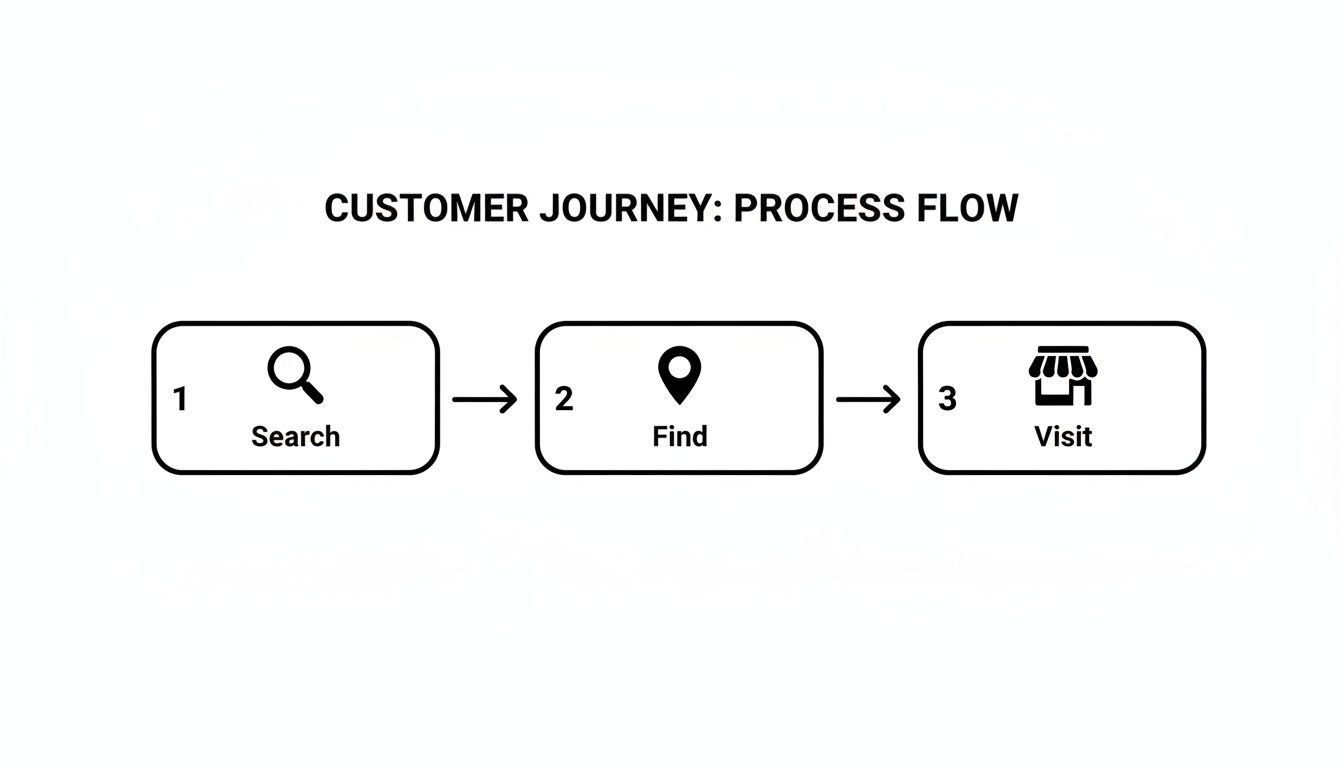
This simple flow from search to visit is powered by your profile, making it a direct line to new business.
Choosing Categories That Attract the Right Diners
Selecting your business categories is one of the most powerful moves you can make during setup. Don't just settle for "Restaurant." That's your primary category, sure, but the real magic happens in the secondary categories.
This is where you tell Google exactly what you do. Are you a "Pizzeria"? A "Steak House"? A "Vegan Restaurant"? Get specific. Someone searching for "best tacos near me" is way more likely to find you if you've listed "Taco Restaurant" as a category.
Think of your business categories as keywords for your physical location. The more specific and accurate they are, the better Google can connect you with people who are actively craving what you serve.
The Final Step: Verification
Okay, you've filled everything out. Now, Google needs to make sure you're actually you. This verification step is a crucial security check to prevent someone else from hijacking your business listing.
For most restaurants, the most common method is verification by mail. Google will send a postcard to your business address with a unique code on it.
Once that postcard arrives (usually in a week or two), you'll log back into your profile, punch in the code, and you're officially live. This unlocks all the good stuff—responding to reviews, posting updates, and seeing how customers are finding you. A little patience here goes a long way to getting your profile launched right.
Turning Your Basic Listing Into a Customer Magnet
Your profile is officially live and verified—great work. But getting on the map is just the starting point. Now, we need to transform that simple pin into a powerful magnet that pulls in hungry diners. This is where you move beyond the basics and start using every feature to tell your story and convince customers that your restaurant is the place to eat tonight.
Let's begin with your business description. You have 750 characters to work with, but the real magic needs to happen in the first 250 characters. That's the snippet most people see first, so it has to count.
Don't just say you're a restaurant; tell people what makes you special. Mention your signature char-grilled steaks, your family-recipe pasta, or your commitment to farm-to-table ingredients. This description is also prime real estate for naturally including terms customers are searching for, which helps both diners and Google understand exactly what you're all about. This is a core principle of good copywriting and SEO, ensuring your content connects with your target audience.
Let Your Food Do the Talking
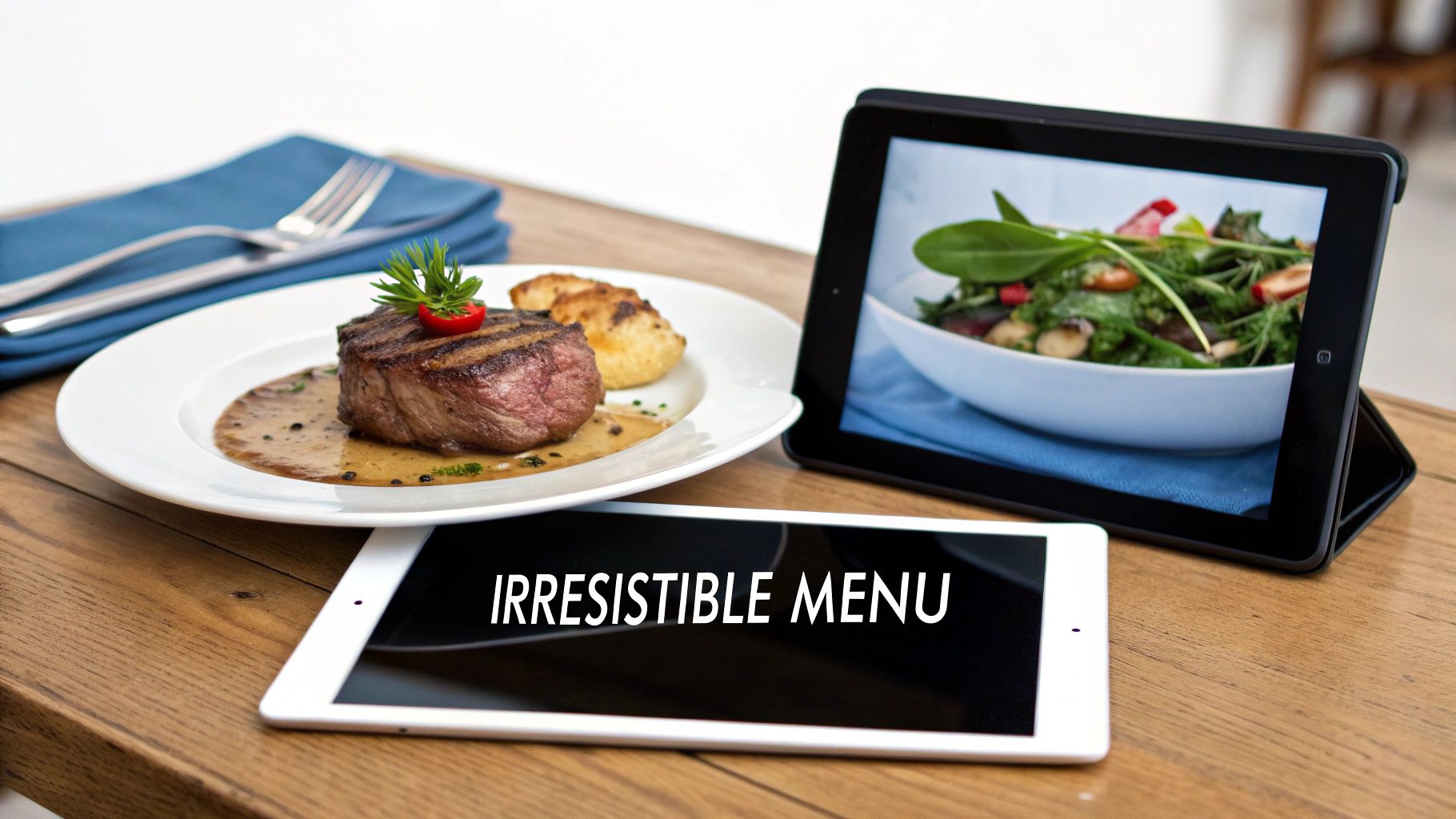
People absolutely eat with their eyes first, and your Google Business Profile is the perfect place to serve up a visual feast. The numbers don't lie: a profile with photos gets 42% more requests for driving directions and 35% more clicks through to its website.
Your goal here is to upload a variety of high-quality images that paint a complete picture of the dining experience you offer. Think beyond just one or two hero shots of your food.
- Food Photos: Showcase your best-selling dishes. Use natural light and make them look irresistible. If you're known for your charbroiler, get a close-up of those perfect grill marks on a steak.
- Interior and Exterior Shots: Show off your dining room, your bar, and the front of your restaurant. This helps customers know what to expect and recognize your location from the street.
- Team Photos: A candid shot of your chef in action or your friendly staff can add a personal touch and build an instant connection with potential guests.
Pro Tip: Photos are your digital curb appeal. They are often the single most influential factor in a customer's decision to click on your profile over a competitor's. Keep them fresh and updated regularly.
Detailing Your Menu and Offerings
While photos are compelling, hungry customers need details. Google allows you to add your full menu directly to your profile, either by manually entering items or connecting to a supported menu provider. This is a game-changer because it keeps users right there on your profile instead of sending them to a third-party site where your competition is just one click away.
Beyond the menu, your profile has a section for Attributes. This is where you can highlight key features that answer common customer questions before they even have to ask.
- Is your restaurant wheelchair accessible?
- Do you offer outdoor seating?
- Is there free Wi-Fi?
- Do you have live music on weekends?
Each attribute you select acts like a filter, helping you appear in more specific searches like "restaurants with patios near me." The more information you provide, the easier you make it for the right customers to find and choose you.
To really get the most out of your profile, it’s essential to build strong local signals everywhere online. For restaurant equipment supply websites and other businesses, maintaining consistent information and building a strong online presence through SEO strategies like blog posting and blogger outreach is key to boosting visibility. Once your listing is dialed in, you can also explore further Google Business Profile tips for local business growth to enhance its appeal and reach even more diners.
This table breaks down the most critical features you should focus on to get the best results from your restaurant's Google Business Profile.
Essential Google Business Profile Features for Restaurants
| Feature | What to Do | Why It Matters for Restaurants |
|---|---|---|
| Business Description | Craft a compelling story in the first 250 characters. Highlight unique selling points and use relevant keywords naturally. | This is your elevator pitch. It hooks potential diners and tells Google what you're all about, improving your chances of appearing in relevant searches. |
| High-Quality Photos | Upload a mix of food, interior, exterior, and team photos regularly. Show off your best dishes and the ambiance of your space. | Visuals are everything in the food industry. Great photos can be the deciding factor for a customer choosing you over a competitor. |
| Accurate Menu | Add your full menu directly to your profile, either manually or through a provider. Keep it updated with current prices and items. | Customers want to see what you offer without leaving Google. An accessible menu removes friction and keeps them engaged with your listing. |
| Detailed Attributes | Select all relevant attributes like "Outdoor seating," "Wi-Fi," "Wheelchair accessible," and "Good for kids." | Attributes help you show up in filtered, high-intent searches (e.g., "dog-friendly restaurants near me"), connecting you with the right customers. |
| Consistent NAP | Ensure your Name, Address, and Phone number are identical across your website and other online directories. | Consistency builds trust with search engines. It's a foundational element of local SEO that proves your business is legitimate and reliable. |
By mastering these core features, you're not just creating a listing; you're building a powerful marketing tool that works around the clock to bring more customers through your doors.
Alright, you've created and verified your Google Business Profile. The heavy lifting is done, right? Not quite. Now the real work begins.
Leaving your profile static is a huge missed opportunity. Active engagement is what turns your listing from a simple online sign into a bustling digital front door for your restaurant. It's how you show both diners and Google that you're a thriving, attentive business that cares about its customers.
Think of your profile as an extension of your restaurant's front-of-house hospitality. This is your chance to greet new customers, answer their questions on the fly, and manage your reputation in real-time. This ongoing conversation is absolutely critical for building loyalty and getting people to come back again and again.

Master the Art of Review Management
Online reviews are the new word-of-mouth, and they are powerful. In fact, a staggering 94% of consumers say a bad online review has convinced them to steer clear of a business. This is why responding to reviews—both the good and the bad—is one of the most important things you can do on your profile. It proves you're listening.
For those glowing 5-star reviews, a simple and personal thank you goes a long way. Try to mention the specific dish or server they praised to show you actually read it. It makes the customer feel seen.
When a negative review pops up, your approach needs to be different, but it's just as crucial.
- Respond quickly and professionally. Don't get defensive. Take a deep breath and address their concerns head-on.
- Acknowledge their experience and apologize. A little empathy can diffuse a tense situation. "We're so sorry to hear your steak was overcooked" works wonders.
- Offer to make it right. Invite them to connect offline via email or a phone call. This moves a potentially messy conversation out of the public eye and shows you're serious about fixing the problem.
A thoughtful response to a negative review can actually win back an unhappy customer. More importantly, it shows every other potential diner scrolling through your reviews that you take service seriously. It turns a negative into a public display of excellent customer care.
Keep Your Audience Engaged with Google Posts
Think of Google Posts as mini-billboards right on your profile. They’re perfect for sharing timely updates and promotions that keep your listing feeling fresh and current. This is where you can highlight what’s happening right now at your restaurant. Much like consistent article writing for a blog, regular posts keep your profile active and relevant in Google's eyes.
Some ideas that work really well for restaurant Posts include:
- Showcasing your daily or weekly specials.
- Promoting an upcoming event, like a wine tasting night or a holiday menu.
- Announcing a brand-new menu item you're excited about.
- Sharing a cool behind-the-scenes photo of your kitchen crew in action.
These posts don't last forever, so you need to be consistent. If you're struggling for ideas or time, a GMB Post Generator can be a great tool to help create compelling updates and offers without the hassle.
Open the Lines of Communication
Your Google Business Profile has two other fantastic features for talking directly with customers: Messaging and the Q&A section.
By enabling Messaging, you allow customers to text you directly from your profile. This is an incredibly easy way for them to ask about wait times, parking, or allergy information. A quick, helpful response can be the final nudge someone needs to choose your place over the competition.
The Q&A section is a public forum where anyone can ask a question, and—critically—anyone can answer. You must monitor this area. Answering questions quickly and accurately ensures potential customers get the right information, straight from the source. You can even get ahead of the game by posting your own common questions and answers, like "Do you have vegetarian options?" or "Is your patio dog-friendly?"
Using Performance Insights to Make Smarter Decisions
Once your Google Business Profile is up and running, you unlock a powerful tool that most restaurant owners completely overlook: the Performance dashboard. This isn't just a screen full of confusing charts; it's your direct line to understanding exactly what your customers are looking for.
Think of it as free, daily market research delivered right to you.
The dashboard breaks down exactly how people find your listing. Are they typing your restaurant’s name directly into Google, or are they stumbling upon you through a more general search? This is a crucial distinction.
- Direct Searches: This is when someone searches specifically for your restaurant's name or address. These are usually existing customers or people who’ve already heard about you from a friend or an ad. They already know who you are.
- Discovery Searches: This is the goldmine. A discovery search happens when a potential customer searches for a category or service you offer—think "best pizza near me" or "restaurants with outdoor seating"—and your profile pops up. High numbers here mean your optimization efforts are paying off and you’re attracting brand-new customers.
Turning Clicks into Actionable Intelligence
Beyond just how they find you, the Performance dashboard details what they do next. Every click is a clue. Are people clicking for directions, calling you, or checking out your menu?
Let’s say you see a sudden spike in clicks for directions right after you posted photos of your new patio. That’s a crystal-clear signal. It tells you that your outdoor seating is a major draw, and you should probably feature it more in your marketing. A high number of phone calls could mean your "call now" button is working perfectly for reservations.
Understanding these actions helps you double down on what’s working and fix what isn’t. You can learn more about translating this data into a winning strategy by exploring how to measure SEO performance.
Don’t just look at the numbers—interpret the story they tell. A big jump in menu views right after you create a Google Post about a new special isn't a coincidence. It’s a direct result of your actions. This is how you start making smarter marketing decisions.
From Insights to Increased Sales
This data has a direct impact on your bottom line. Performance metrics show that businesses with complete profiles aren't just seen as 2.7 times more credible but also get up to 7 times more clicks.
While a typical business profile might see 4%–7% of views result in a website click, that number can climb much higher in certain industries. For B2B services, like those selling restaurant equipment, it can be as high as 10%–12%. That added credibility directly influences purchasing decisions for high-ticket items, like a new commercial charbroiler. You can discover more benchmarks for Google Business Profiles to see how you stack up against the competition.
By consistently checking your performance insights, you stop guessing what customers want and start knowing what they need. This allows you to fine-tune your profile, update your menu, and tweak your promotions to meet real-time demand, turning your Google Business Profile into a powerful, data-driven engine for growth.
Common Questions About Google Business Profiles
Even with a perfectly optimized profile, you're going to run into weird situations and have questions. It just happens. So, let's talk through some of the most common roadblocks I see restaurant owners hit when they first get their profile up and running.
One of the biggest headaches? Incorrect information popping up out of nowhere. You need to know that anyone on Google can suggest an edit to your profile. Seriously. They can change your hours or even try to mark you as permanently closed. If you get a notification about an update you didn't make, you need to jump on it and reject it immediately. Honestly, the best defense here is just making a habit of checking your profile every so often to make sure everything still looks right.
Handling Multiple Locations and Mobile Businesses
What about if you're running a few cafes around town, or maybe you've got a food truck? Google has specific ways to handle these setups so customers aren't left confused.
- For multiple locations: Every single spot needs its own, separate Google Business Profile. Don't try to lump them together. The good news is you can manage them all from one account using a "business group." This makes it way easier to update hours across all locations or push out an announcement to everyone at once.
- For food trucks: This is a classic "service area business." Instead of dropping a single pin on the map, you'll define the general cities or neighborhoods you operate in. Then, the real magic is using Google Posts to shout out your exact location and schedule for the day.
At the end of the day, it's all about making things crystal clear for the customer. It doesn't matter if you have ten brick-and-mortar restaurants or one kitchen on wheels—your goal is to make it dead simple for a hungry person to find you.
Think of your Google Business Profile as a living, breathing part of your marketing. If you stay on top of it, keep an eye out for random changes, and use the features that actually fit your business model, you'll get so much more out of it. You'll be turning those late-night "pizza near me" searches into regulars.
For any restaurant serious about achieving that perfect sear and signature smoky flavor, a high-quality commercial charbroiler is non-negotiable. At Charbroilers.com, we offer a curated selection of countertop, modular, and floor model charbroilers designed to meet the demands of any professional kitchen. Explore our collection and find the perfect charbroiler to elevate your menu.