

The Ultimate 10-Point Conversion Rate Optimization Checklist for 2026
In the competitive world of restaurant equipment supply, getting traffic to your website is only half the battle. The real challenge lies in converting those visitors—the busy restaurant owners, chefs, and procurement managers—into paying customers. A standard approach won't work; this audience requires a specialized strategy that addresses their unique needs for detailed specifications, financial justification, and operational trust. This conversion rate optimization checklist is designed specifically for restaurant equipment suppliers and foodservice websites.
We'll move beyond generic advice and provide a prioritized, actionable roadmap covering everything from technical SEO and UX fixes on product pages to building unshakable trust. Understanding the user's intent and psychological drivers is key to persuading them to take action. For a broader understanding of how psychological principles underpin effective CRO, you might find valuable insights in these 10 Conversion Rate Optimization Best Practices.
This blueprint provides concrete steps you can implement immediately. You will learn how to:
- Optimize product pages for speed and detailed information.
- Implement powerful trust signals and social proof.
- Develop tools that help customers justify their investment.
- Refine your calls-to-action for maximum impact.
Whether you're selling commercial charbroilers or a full kitchen suite, these 10 steps will help you systematically improve your website's performance, increase leads, and boost your bottom line. We'll explore practical strategies for engaging visitors and guiding them confidently from initial interest to final purchase, turning your website into a powerful sales engine.
1. Optimize Product Page Loading Speed for Equipment Specifications
For restaurant managers and chefs researching high-value commercial kitchen equipment, time is a scarce commodity. When a product page for a charbroiler or commercial freezer takes too long to load, they won't wait. Instead, they’ll abandon the page and move to a competitor, costing you a significant potential sale. This initial interaction is a critical first step in any effective conversion rate optimization checklist; a slow page prevents all other optimization efforts from ever being seen.
The goal is to load all critical content, especially detailed equipment specifications, dimensions, and capacity details, in under three seconds. This is crucial because decision-makers often have multiple tabs open, comparing vendors like WebstaurantStore and Vulcan Hart simultaneously. The site that delivers information the fastest often earns the first, and best, impression. Slow-loading pages with heavy, unoptimized images of spec sheets are a primary cause of high bounce rates in the B2B foodservice equipment space.
Why This Is a Priority
A fast-loading product page directly impacts your bottom line. According to Google's Core Web Vitals initiative, page speed is a key factor not only for user experience but also for search engine rankings. For a restaurant equipment supplier, a faster site means better visibility, lower bounce rates, and a direct path to increased quote requests and sales.
Actionable Implementation Steps
To achieve sub-three-second load times, focus on these technical optimizations:
- Analyze Your Speed: Use Google PageSpeed Insights to get a baseline score and identify specific elements slowing your page down, such as large images or render-blocking scripts.
- Compress Product Imagery: High-resolution equipment photos are essential, but they must be optimized. Compress all JPEGs and PNGs to a maximum of 100KB without a noticeable loss in visual quality. Use modern formats like WebP where possible.
- Implement Lazy Loading: Configure your site to only load images and specification sheets that are visible on the user's screen. Content "below the fold" will load as the user scrolls down, dramatically improving the initial load time.
- Leverage a Content Delivery Network (CDN): A CDN stores copies of your site's assets (like images and PDF spec sheets) on servers around the world, delivering them from the location closest to the user. This significantly reduces latency.
For a deeper dive into these technical elements, performing a comprehensive technical SEO audit can uncover critical performance bottlenecks unique to your website.
2. Create Detailed Comparison Tables for Charbroiler Models
Restaurant owners and chefs evaluating high-stakes equipment like charbroilers are not just browsing; they are conducting deep, comparative research. Faced with a wall of individual product pages, they often resort to creating their own spreadsheets to compare specifications. By providing a detailed comparison table directly on your site, you streamline this critical decision-making process, prevent users from leaving to do their own research, and guide them toward a purchase. This is a powerful and often overlooked component of a conversion rate optimization checklist, as it directly addresses the user's need for clarity and confidence before committing to a large investment.
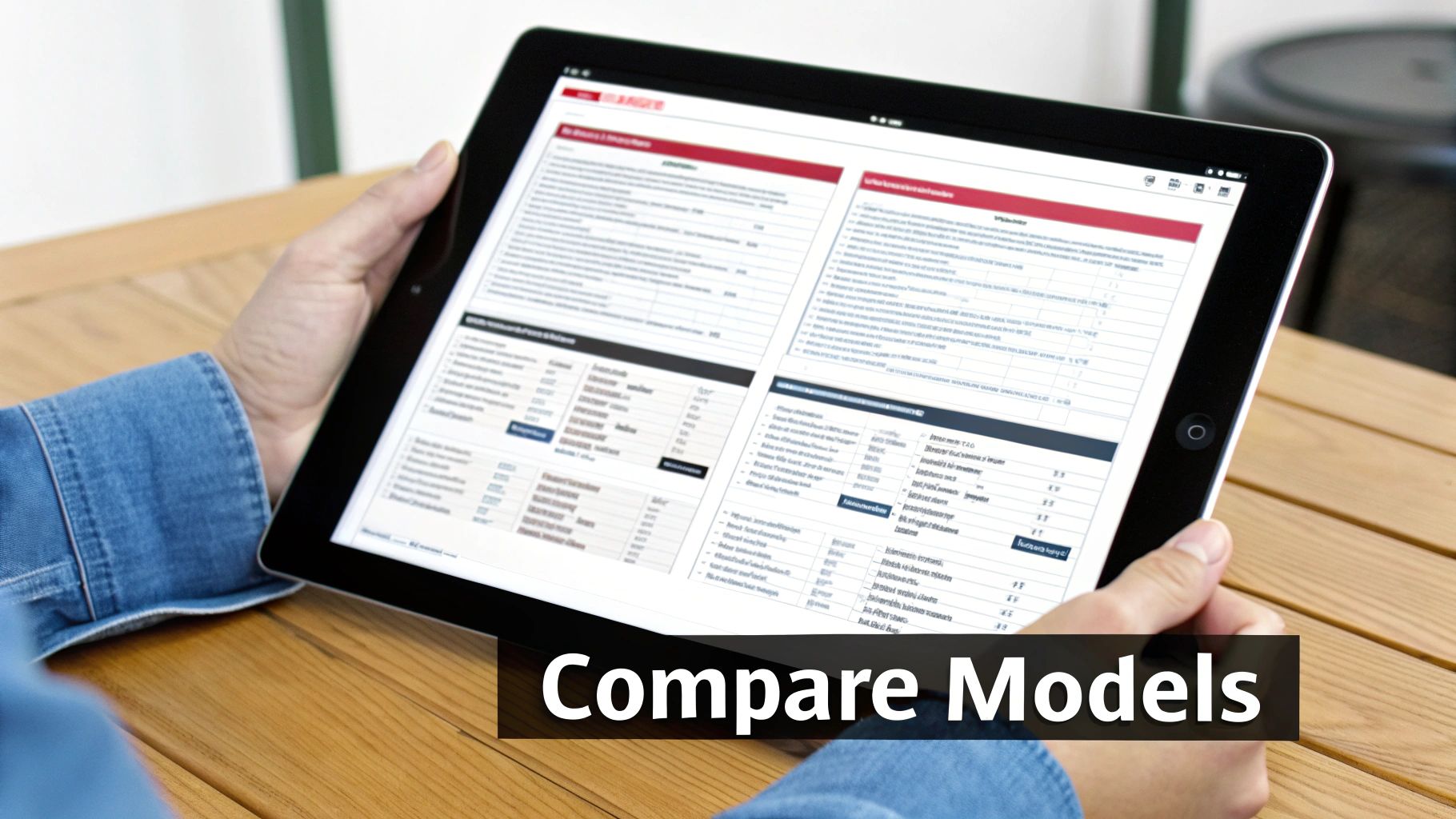
The goal is to create comprehensive matrices that allow for a side-by-side view of countertop, modular, and floor model charbroilers. Instead of forcing a chef to open multiple tabs to compare BTU output or cooking surface area, a well-designed table presents all critical data in one glance. This reduces decision paralysis and helps them quickly identify the best model for their kitchen's specific constraints and menu demands, mirroring the utility of comparison tools seen on sites like WebstaurantStore and Rational.
Why This Is a Priority
A clear, functional comparison table accelerates the sales cycle. For foodservice managers, purchasing new equipment often requires justification to stakeholders or finance departments. A shareable, easy-to-understand comparison table becomes a vital internal sales tool, empowering your champion to make a stronger case for a specific model. This level of user assistance builds trust and positions your brand as a helpful expert, not just a seller.
Actionable Implementation Steps
To build effective comparison tables that convert, focus on the user's decision-making criteria:
- Include All Critical Decision Factors: Your table must feature columns for BTU output, cooking surface area (in square inches), overall dimensions, gas or electrical requirements, warranty details, and price. These are the non-negotiable data points for any professional buyer.
- Add Explanatory Tooltips: Define technical terms like "radiant heat" vs. "lava rock" with simple tooltips. This helps less-technical stakeholders (like a general manager or owner) understand the benefits without feeling overwhelmed.
- Highlight Use-Case Scenarios: Add a row that recommends the ideal application for each model. For instance, clearly label one unit as "Best for high-volume steakhouses" and another as "Ideal for compact ghost kitchens" to guide selection.
- Ensure Data is Always Current: Implement a process to update the comparison tables whenever a new model is launched, a specification changes, or pricing is adjusted. Outdated information can quickly erode trust and lead to lost sales.
3. Implement Trust Signals and Industry Certifications Display
For a restaurant owner, purchasing a new commercial convection oven or charbroiler is a high-stakes decision. The equipment must meet strict health codes, operate reliably under intense pressure, and justify its significant cost. Without immediate proof of compliance and quality, buyers will hesitate, fearing operational shutdowns or costly replacements. This is why prominently displaying trust signals is a non-negotiable part of any serious conversion rate optimization checklist for foodservice equipment suppliers.
The goal is to instantly reassure a potential buyer that your products are safe, certified, and trusted by peers. For equipment like a Vulcan Hart range or a CKitchen.com walk-in cooler, this means featuring logos like NSF (National Sanitation Foundation) and UL (Underwriters Laboratories) in a highly visible location, typically near the product title or "Add to Cart" button. These badges communicate compliance and quality far more quickly and effectively than a paragraph of text, removing a major point of friction in the B2B purchasing journey.
Why This Is a Priority
In the foodservice industry, equipment failure isn't an inconvenience; it's a crisis that can shut down a business. Trust signals directly address this core anxiety. Displaying certifications proves your equipment meets legal health and safety standards, while testimonials from recognizable restaurant brands provide social proof that it performs in a real-world commercial kitchen. This builds the confidence needed to convert a high-value browser into a paying customer.
Actionable Implementation Steps
To effectively leverage trust signals and certifications, integrate them directly into your product page layout:
- Place Badges Above the Fold: Don't make users hunt for critical information. Position key certification logos (NSF, UL, ENERGY STAR) near the product price and primary call-to-action button so they are seen immediately upon page load.
- Feature Customer Testimonials Strategically: Collect and display quotes from established restaurant clients. A testimonial from a well-known local chef or regional chain carries immense weight and validates your product's quality and reliability.
- Link to Certification Details: Make each certification logo clickable, linking to a page that explains what the certification means or directly to the official listing. This adds a layer of transparency and credibility for meticulous buyers.
- Highlight Specific Compliance: If a product meets specific local or regional standards, like ADA compliance or specific health department codes, call this out clearly. This is a powerful conversion driver for buyers in those markets.
4. Develop ROI Calculator Tool for Kitchen Equipment Investment
Restaurant owners and procurement managers are driven by financial justification, not just product features. When evaluating a significant investment like a new charbroiler or a high-capacity combi oven, their primary question is, "What's the return?" Answering this question upfront with a dynamic tool can dramatically increase conversions by transforming a simple product page into a powerful business case builder.
An interactive ROI calculator allows a potential buyer to input their specific operational data, such as daily customer volume, menu prices, and current utility costs. The tool then projects the potential cost savings, increased throughput, and profitability gains from purchasing your equipment. By visualizing the financial impact directly on your website, you move the conversation from cost to investment, a key step in any B2B conversion rate optimization checklist. This strategy directly addresses the buyer's core concern of financial viability before they even request a quote.
Why This Is a Priority
A well-designed ROI calculator is a high-impact conversion asset. It builds immense trust by providing transparent, data-driven justification for a purchase. For complex equipment like Rational’s combi ovens, these tools are central to the sales process, demonstrating clear value in labor savings and energy efficiency. It preemptively answers the questions that a CFO or investor would ask, empowering the user to advocate for the purchase internally and shortening the sales cycle.
Actionable Implementation Steps
To build a compelling ROI calculator, focus on tangible, customizable metrics:
- Gather Benchmark Data: Base your calculations on credible industry averages for restaurant profit margins, equipment lifespan, and utility costs. This provides a realistic and trustworthy foundation for your projections.
- Allow Key Variable Inputs: Enable users to customize inputs like their current production volume, average check size, and labor costs. Include fields for fuel efficiency to compare gas vs. electric models.
- Quantify Efficiency Gains: Model the impact of improved throughput. For example, show how a faster charbroiler can increase the number of covers per hour, directly translating to higher revenue during peak service times.
- Generate a Shareable Report: Offer a feature to generate a downloadable PDF summary of the ROI analysis. This empowers the user to present a compelling business case to partners, stakeholders, or financial decision-makers.
Developing such a sophisticated tool often requires a combination of deep industry knowledge and technical expertise, a service where specialized content writing for restaurant equipment sites can help translate complex data into a user-friendly, conversion-focused experience.
5. Optimize Call-to-Action Buttons with Action-Oriented, Specific Copy
For chefs and restaurant owners making high-stakes purchasing decisions, a generic "Submit" or "Learn More" button creates uncertainty. They are not just browsing; they are solving specific problems, like finding a combi oven that fits their kitchen's footprint or getting a quote for a full ventilation system. Vague calls-to-action (CTAs) fail to align with their specific intent, causing hesitation and abandonment. This step is a core component of any conversion rate optimization checklist because the CTA is the final gateway to a lead or sale.
The goal is to replace ambiguous CTAs with clear, value-driven commands that precisely state what happens next. A user evaluating a high-end walk-in cooler is more likely to click "Schedule a Free Consultation" than "Contact Us." The first option promises a specific, valuable outcome, while the second is unclear. This principle, popularized by conversion experts at Unbounce and ConversionXL, is about reducing cognitive load and matching the user’s next logical step in their buying journey.
Why This Is a Priority
Specific, action-oriented CTAs directly address user intent at critical decision-making moments. For a foodservice equipment supplier, this translates into higher quality leads and a smoother sales funnel. A user who clicks "Download Spec Sheet" is in a different stage than one who clicks "Request a Quote." By providing distinct paths, you better serve both audiences, improving user experience and increasing the likelihood of a conversion.
Actionable Implementation Steps
To transform your generic buttons into conversion-driving assets, focus on clarity and user intent:
- Audit Existing CTAs: Review your key product and service pages. Replace every "Learn More," "Submit," or "Click Here" with a phrase that starts with an action verb and describes a specific outcome (e.g., "Get Instant Pricing," "Compare Models").
- Match CTAs to User Intent: For complex, high-value equipment like a blast chiller, offer CTAs like "Speak with an Equipment Specialist" or "Schedule a Live Demo" alongside the standard "Add to Cart."
- Place CTAs at Key Decision Points: Position relevant buttons directly below pricing information, specification tables, and customer reviews. Don't make a user scroll to find the next step.
- Test and Measure Variations: Use A/B testing to compare different CTA copy. Test "Request a Custom Quote" versus "Get a Free Estimate" to see which resonates more with your audience. Ensure your follow-up process perfectly matches the promise made in the CTA.
Fine-tuning these small but crucial elements is a central part of effective on-site optimization that can yield significant improvements in lead generation and sales.
6. Create Video Content Demonstrating Charbroiler Capabilities and Results
For a chef or restaurant owner, buying a commercial charbroiler is a major investment. They aren't just buying steel and grates; they are buying the ability to produce perfectly seared steaks, signature burgers, and beautifully grilled vegetables. Static images and text specifications can only convey so much. Video content bridges this gap by demonstrating the equipment in action, making the benefits tangible and directly influencing purchase decisions.
The primary goal is to show, not just tell. A well-produced video can showcase the charbroiler’s heat distribution, the ease of cleaning, and most importantly, the final food product. When a potential buyer sees those coveted grill marks form on a steak, they can visualize the results in their own kitchen. This visual proof is a powerful element in any conversion rate optimization checklist, as it builds trust and answers unasked questions about performance.
Why This Is a Priority
Video content significantly increases user engagement and time on page, which are strong positive signals for search engines. For high-consideration purchases like commercial kitchen equipment, video serves as a virtual demo. It helps decision-makers justify the expense and builds confidence in your product over competitors who only offer static photos. Companies like WebstaurantStore and Rational effectively use video on their product pages and YouTube channels to demonstrate cooking processes, significantly boosting conversion probability.
Actionable Implementation Steps
To create video content that converts, focus on showcasing real-world applications:
- Show the Results: Film high-quality demonstrations cooking the exact items your target audience sells, like burgers, steaks, fish, and vegetables. Focus on close-ups of the searing process and the final plated dish.
- Demonstrate Practicality: Create short videos showing installation in different kitchen layouts, routine cleaning procedures, and how to change out grates. This addresses practical concerns that can be deal-breakers.
- Feature Client Testimonials: A video of a respected local chef praising your charbroiler's performance is more persuasive than any sales copy. This social proof is invaluable for building trust.
- Optimize for All Platforms: Keep technical demos under five minutes to maintain viewer attention. Add captions to all videos, as many users will watch with the sound off, especially on mobile devices in a busy environment.
By integrating compelling video, you transform a simple product page into a dynamic and convincing sales tool that helps your audience visualize success.
7. Implement Exit-Intent Technology with Targeted Incentive Offers
A restaurant owner researching a $15,000 combi oven adds it to their cart but hesitates, moving their cursor to close the tab. This moment of hesitation is a critical, final opportunity to salvage a sale. Implementing exit-intent technology allows you to detect this abandonment behavior and present a last-chance offer, turning a potential lost customer into a qualified lead or even an immediate sale. This tactic is a vital part of any conversion rate optimization checklist because it directly targets users at their point of departure.
The key is to offer value, not just a generic discount. A chef comparing multiple vendors for a specific charbroiler might be swayed by a popup offering an instant "Equipment Comparison Guide" or a "Free Kitchen Layout Consultation." These targeted incentives address final purchase anxieties and capture contact information for follow-up, transforming a high bounce rate into a powerful lead generation tool. For high-value B2B equipment, capturing even a small fraction of abandoning visitors can represent a significant revenue increase.
Why This Is a Priority
Losing a visitor who has already browsed high-intent pages is a major missed opportunity. Exit-intent popups act as a safety net, recovering potentially lost revenue and building your marketing list with highly qualified prospects. Instead of letting interested buyers walk away, you engage them with a relevant offer that addresses their specific needs, whether it's more information, financing options, or expert advice.
Actionable Implementation Steps
To effectively deploy exit-intent technology without alienating users, follow these best practices:
- Offer Value-Based Incentives: Instead of a simple "10% Off," provide resources that aid the decision-making process. Think "Download Our Free Charbroiler Buyer’s Guide" or "Schedule a Free Consultation on Financing Options."
- Segment Your Offers: Tailor the popup offer based on the product category the user was viewing. A visitor on a commercial refrigeration page should see an offer relevant to freezers, not fryers.
- Keep the Design Clean and Unobtrusive: Use a professional, on-brand design that is easy to read. Most importantly, ensure the "close" (X) button is clearly visible and easy to click, preventing user frustration.
- Limit Popup Frequency: Configure your tool (like OptinMonster or HubSpot) to show the popup only once per user session. Repeatedly showing the same offer creates a negative experience and diminishes its impact.
- Automate Your Follow-Up: Once an email is captured, trigger an automated email sequence that immediately delivers the promised resource and nurtures the lead with helpful, relevant content.
8. Develop Comprehensive FAQ Section Addressing Buying Concerns
For a restaurant owner comparing charbroilers, unanswered questions create friction and delay decisions. Concerns about installation, utility connections, or maintenance can be enough to make them abandon a product page and seek a competitor who provides clearer answers. A comprehensive FAQ section acts as a silent salesperson, proactively addressing these critical buying concerns and clearing the path to conversion. This strategy is an essential component of any conversion rate optimization checklist because it directly removes the obstacles standing between interest and purchase.
The goal is to anticipate and answer every potential question a buyer might have before they even think to ask. Instead of forcing a chef to call your sales line to ask about NSF certification or the specific gas line requirements for a Vulcan Hart floor model, you provide the information upfront. This builds trust, demonstrates expertise, and saves both the customer and your sales team valuable time, making the purchasing journey smoother and faster.
Why This Is a Priority
A well-crafted FAQ section significantly reduces purchase anxiety and builds confidence. By transparently addressing potential pain points like cleaning procedures or warranty details, you manage customer expectations and position your brand as a knowledgeable, trustworthy partner. This pre-emptive support minimizes the need for back-and-forth communication, shortens the sales cycle, and directly contributes to a higher conversion rate.
Actionable Implementation Steps
To build an FAQ section that converts, focus on addressing the most common and critical purchasing barriers:
- Analyze Customer Inquiries: Collaborate with your sales and customer support teams to compile a list of the most frequently asked questions. Review emails, chat logs, and call notes for recurring themes.
- Address Technical & Logistical Concerns: Be highly specific. Answer questions like: "How much clearance does this countertop charbroiler need?" or "What are the exact electrical requirements for the Hobart mixer?" Include details on utility connections (gas vs. electric), space requirements, and installation complexity.
- Clarify Operational & Maintenance Details: Set clear expectations about ownership. Explain the daily cleaning procedures, long-term maintenance demands, and what is covered under the warranty. This honesty prevents future dissatisfaction.
- Segment FAQs by Use Case: Create content that helps buyers self-select the right equipment. For example, answer: "Which charbroiler model is best for a small bistro versus a high-volume diner?" This tailored advice guides users to the most suitable product.
For businesses looking to create compelling, technically accurate FAQ content that speaks directly to their audience, working with a professional article writing service specializing in the foodservice industry can ensure your answers build maximum trust and drive conversions.
9. Optimize Product Images with 360-Degree Views and Zoom Functionality
For a restaurant manager purchasing a ten-thousand-dollar combi oven or a heavy-duty charbroiler, the inability to physically inspect the equipment is a major hurdle. Unlike smaller supplies, these are significant capital investments, and standard, static images often fail to provide the necessary detail to build purchase confidence. Implementing advanced imaging like 360-degree views and high-resolution zoom bridges this gap, acting as a virtual showroom that allows chefs to scrutinize every weld, knob, and surface before committing.
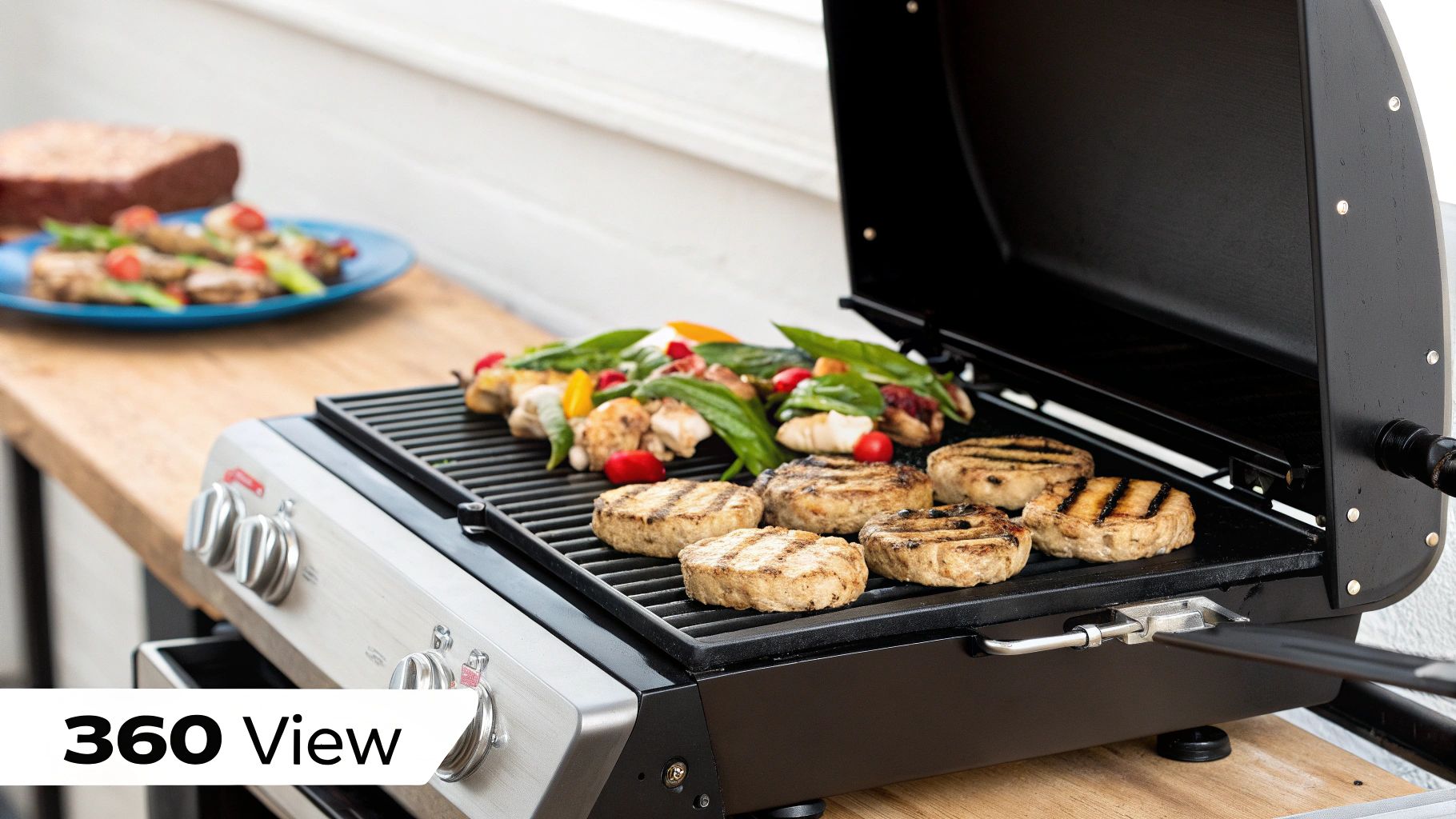
The goal is to replicate the in-person inspection process online. High-quality 360-degree rotators allow a potential buyer to see the unit from all sides, checking for port placement, ventilation, and overall build quality. A powerful zoom function lets them examine the texture of cooking surfaces or the durability of control dials. This level of visual detail is a cornerstone of any modern conversion rate optimization checklist for high-ticket items, as it directly addresses customer uncertainty and reduces the perceived risk of a large online purchase.
Why This Is a Priority
Interactive, detailed imagery directly increases conversion rates by boosting buyer confidence and reducing hesitation. For complex equipment, it answers questions that product descriptions alone cannot, such as "How robust are the casters?" or "What is the finish on the stainless steel?" This transparency not only drives sales but also helps manage customer expectations, leading to lower return rates and fewer post-sale support inquiries.
Actionable Implementation Steps
To effectively integrate advanced product visuals, follow this strategic approach:
- Invest in Quality Photography: Start with high-resolution source images taken from multiple angles against a clean background. This is the foundation for both 360-degree views and zoom features.
- Show In-Context and Detail Shots: Alongside the 360-view, include still images of the equipment in a realistic kitchen setting for scale. Add close-ups of critical components: control panels, connection points, cooking grates, and construction materials.
- Choose the Right Technology: Implement a reliable JavaScript library or a third-party platform (like Sirv or Magic 360) to handle the 360-degree rotation and zoom functionality. Ensure it is mobile-responsive and loads quickly.
- Combine 360-View and Still Images: Don't rely exclusively on one format. Provide a gallery that includes the interactive 360-degree model as well as traditional, high-resolution still photos that users can click to zoom in on, catering to different user preferences.
10. Implement Live Chat and Chatbot Support During the Decision-Making Phase
For restaurant owners evaluating a significant purchase like a new commercial charbroiler, questions about BTUs, gas line requirements, or financing options are inevitable. Leaving them to hunt for answers in FAQs or spec sheets introduces friction and increases the odds they will seek a competitor for clarity. Implementing real-time chat support is a crucial step in any modern conversion rate optimization checklist, as it provides immediate answers during the most critical phase of the buyer's journey.
The goal is to provide an instant, accessible channel for prospects to resolve their specific concerns without leaving the product page. For complex B2B sales in the foodservice industry, this direct line of communication builds confidence and removes purchasing barriers. During off-hours, a well-programmed chatbot can handle common inquiries, qualify leads, and schedule follow-up calls, ensuring you never miss an opportunity.
Why This Is a Priority
Purchasing commercial kitchen equipment is a high-consideration decision. Unlike a simple e-commerce transaction, it involves technical specifications, installation logistics, and significant financial investment. Live chat directly addresses this complexity by offering expert guidance on demand. This personalized support significantly shortens the sales cycle and builds the trust needed to convert a high-value prospect into a customer.
Actionable Implementation Steps
To deploy an effective chat strategy, focus on both technology and training:
- Be Visible but Not Intrusive: Place the chat widget prominently on high-intent pages like product detail pages, comparison tools, and the checkout or quote request page. Use a subtle pop-up to engage users after they’ve been on the page for a set time (e.g., 30 seconds).
- Staff for Peak Hours: Analyze your website traffic data to identify when most of your target audience, such as chefs and managers, are conducting research. Ensure live agents are available during these peak business hours, typically weekday afternoons.
- Train Agents as Specialists: Your chat support team should be trained experts on your equipment. They need to answer detailed questions about charbroiler specifications, ventilation needs, and compatible accessories, providing value far beyond a generic customer service script.
- Program a Smart Chatbot: For after-hours support, program an AI chatbot with a robust knowledge base covering your most frequently asked questions. Use it to ask qualifying questions (e.g., "What type of restaurant do you run?") to segment leads for your sales team. Beyond basic support, implementing a dedicated lead generation chatbot can proactively engage visitors and further boost your conversion efforts during the decision-making phase.
By integrating chat, you create a more responsive and helpful shopping experience. To understand how this fits into the broader picture, consider how it complements your overall efforts in user experience optimization, turning a static product page into a dynamic sales consultation tool.
10-Point CRO Checklist Comparison
| Item | 🔄 Implementation complexity | ⚡ Resource requirements | ⭐ / 📊 Expected outcomes | Ideal use cases | 💡 Key advantages |
|---|---|---|---|---|---|
| Optimize Product Page Loading Speed for Equipment Specifications | 🔄 Medium–High — requires developer changes and testing | ⚡ Medium — dev time, possible hosting/CDN costs | ⭐⭐⭐⭐ — lower bounce, improved Core Web Vitals, higher conversions 📊 | High-traffic product pages with heavy images and B2B comparison shoppers | 💡 Faster UX, SEO gains, better mobile experience |
| Create Detailed Comparison Tables for Charbroiler Models | 🔄 Medium — UI + data maintenance | ⚡ Medium — development, content upkeep | ⭐⭐⭐⭐ — reduces decision paralysis, increases AOV and conversion 📊 | Complex product lines where buyers compare specs and price | 💡 Clear side-by-side specs; speeds buyer decisions |
| Implement Trust Signals and Industry Certifications Display | 🔄 Low–Medium — design & content placement; certs may take effort | ⚡ Low (display) to High (obtaining certifications) | ⭐⭐⭐⭐ — reduces perceived risk, lifts first-time buyer confidence 📊 | Compliance-sensitive purchases and buyers needing assurance | 💡 Builds credibility and differentiates from uncertified competitors |
| Develop ROI Calculator Tool for Kitchen Equipment Investment | 🔄 High — modeling, UX, and validation required | ⚡ Medium–High — dev, data sourcing, ongoing maintenance | ⭐⭐⭐⭐⭐ — strongly improves purchase justification and lead quality 📊 | Large-ticket purchases where financial justification is required | 💡 Quantifiable ROI, downloadable reports for stakeholder buy-in |
| Optimize Call-to-Action Buttons with Action-Oriented, Specific Copy | 🔄 Low — copy changes and A/B testing | ⚡ Low — copywriting and testing tools | ⭐⭐⭐⭐ — improves lead quality and conversion rates 📊 | All product and decision-stage pages | 💡 Reduces friction by clarifying next steps; better lead routing |
| Create Video Content Demonstrating Charbroiler Capabilities and Results | 🔄 Medium–High — production, editing, optimization | ⚡ Medium–High — production costs, hosting/bandwidth | ⭐⭐⭐⭐ — increases engagement, demonstrates performance, reduces returns 📊 | Visual demos, installation walkthroughs, testimonial use | 💡 Shows real-world results, eases buyer expectations |
| Implement Exit-Intent Technology with Targeted Incentive Offers | 🔄 Low — configure triggers and offers | ⚡ Low — software subscription and content creation | ⭐⭐⭐ — recovers abandoning visitors and captures leads 📊 | High-value product pages with significant abandonment risk | 💡 Low-cost lead recovery, targeted offers at critical moment |
| Develop Comprehensive FAQ Section Addressing Buying Concerns | 🔄 Low–Medium — content creation and organization | ⚡ Low–Medium — writing, schema markup, periodic updates | ⭐⭐⭐⭐ — addresses objections, improves SEO and reduces support load 📊 | Early research stages and long-tail informational queries | 💡 Anticipates buyer questions, boosts organic visibility |
| Optimize Product Images with 360-Degree Views and Zoom Functionality | 🔄 High — professional photography and technical integration | ⚡ High — photography, specialized viewers, hosting | ⭐⭐⭐⭐ — increases buyer confidence, reduces returns, boosts conversions 📊 | High-ticket items where in-person inspection isn't possible | 💡 Enables detailed visual inspection and perceived quality |
| Implement Live Chat and Chatbot Support During Decision-Making Phase | 🔄 Medium — setup, training, escalation flows | ⚡ Medium — software plus staffing/training costs | ⭐⭐⭐⭐ — immediate answers, higher conversions and qualified leads 📊 | Decision/consideration phase with technical or timing-sensitive queries | 💡 Real-time support, lead capture, and qualification |
Putting Your Checklist into Action for Sustainable Growth
You have now navigated a comprehensive conversion rate optimization checklist, meticulously designed for the unique demands of the restaurant and foodservice equipment industry. This is more than just a list of tasks; it is a strategic blueprint for transforming your website from a simple digital catalog into a high-performance sales engine that actively builds trust and drives revenue.
The journey to higher conversions is not about implementing a single magical fix. Instead, it’s about the cumulative impact of many strategic, data-informed improvements. From optimizing your product page loading speeds so a busy chef can instantly access equipment specifications, to implementing detailed comparison tables that clarify the differences between charbroiler models, each step removes friction from the buying process. Your customer is a savvy business owner, and they need to see clear ROI, undeniable trust signals, and a seamless user experience before committing to a significant investment.
From Checklist to Continuous Improvement
The true power of this conversion rate optimization checklist lies in its application as an ongoing process, not a one-time project. Your customers' needs, market trends, and technology all evolve. Therefore, your optimization strategy must be agile and iterative. Think of it as a cycle: implement, measure, analyze, and refine.
- Benchmark First: Before making any changes, establish your baseline. What are your current conversion rates, bounce rates, and average time on page for key equipment listings? Use this data as your starting point.
- Prioritize with Impact: You don't need to tackle everything at once. Start with the "low-hanging fruit." Perhaps your call-to-action buttons are vague, or you lack crucial industry certifications on your product pages. Small changes here can yield surprisingly large results.
- Embrace A/B Testing: Don't guess what works. Test it. Whether it's the copy on your CTA, the offer in your exit-intent pop-up, or the layout of your comparison tables, let your audience's behavior guide your decisions.
- Listen to Your Customers: The insights gained from your live chat logs and comprehensive FAQ section are pure gold. Use this direct feedback to identify common pain points and address them proactively on your site.
By consistently applying these principles, you move beyond simply selling equipment. You become a trusted advisor, providing the detailed information, interactive tools, and responsive support that empowers restaurant owners to make confident purchasing decisions.
The Broader Impact of CRO
Mastering conversion rate optimization does more than just boost your sales figures. It fundamentally enhances your brand's reputation and authority within the competitive foodservice space. A website that is fast, intuitive, and genuinely helpful reflects a business that understands and respects its customers' time and challenges. This positive experience builds brand loyalty and encourages repeat business and referrals.
Furthermore, a well-optimized website complements and amplifies all your other marketing efforts. The high-quality traffic you generate through expert SEO, local citation services, and targeted blogger outreach will convert at a much higher rate, maximizing the return on your entire marketing investment. This synergy is what creates sustainable, long-term growth. This detailed conversion rate optimization checklist is your roadmap to achieving that success, turning every visitor interaction into a valuable opportunity.
Ready to see these optimization principles in action on a site built for performance? Explore how Charbroilers.com implements a user-focused experience with detailed specifications, clear comparisons, and a seamless path to purchase. Visit Charbroilers.com to see how a well-optimized platform helps chefs and restaurant owners find the perfect equipment to fire up their success.